
All content was accurate at the time of publication. Check issuer’s site for most up to date information.
katiestraveltricks.com has partnered with CardRatings for our coverage of credit card products. katiestraveltricks.com and CardRatings may receive a commission from our partners. American Express is a katiestraveltricks.com advertiser. This compensation may impact how and where links appear on this site. This site does not include all financial companies or all available financial offers. Terms apply to American Express benefits and offers. Enrollment may be required for select American Express benefits and offers. Visit americanexpress.com to learn more. For Capital One products listed on this page, some of the above benefits are provided by Visa® or Mastercard® and may vary by product. See the respective Guide to Benefits for details, as terms and exclusions apply.
Using inKind to Save Money on Dining
inKind is an app that allows you to pay your bill at select restaurants. When you pay using the app, you get access to special coupons, deals, and offers that are only available through inKind. It doesn’t cost anything to use the app, and it’s a great way to save money on dining.
inKind is available at over 7,000 restaurants nationwide, and they are adding more restaurants all the time. Even if there aren’t any good restaurants available near you, inKind can be a good way to save money when you’re traveling.
This guide shows you how to use inKind to help you save money on eating out.
Quick Hits
- inKind partners with over 7,000 locations — local restaurants, bars, coffee shops, etc
- You’ll dine normally and then check out using the inKind app
- Savings Opportunity 1: You can use inKind coupons (we frequently see $25 off $75, $20 off $50, etc.) or pay with an inKind giftcard you bought at a discount (at Costco a $100 gift card costs $75).
- Savings Opportunity 2: You’ll earn inKind cash back (up to 25%) on your purchase, which can be used in the future to pay for another bill
- Just starting? Use a referral code for $25 off your first $50 meal purchase
Why Use inKind
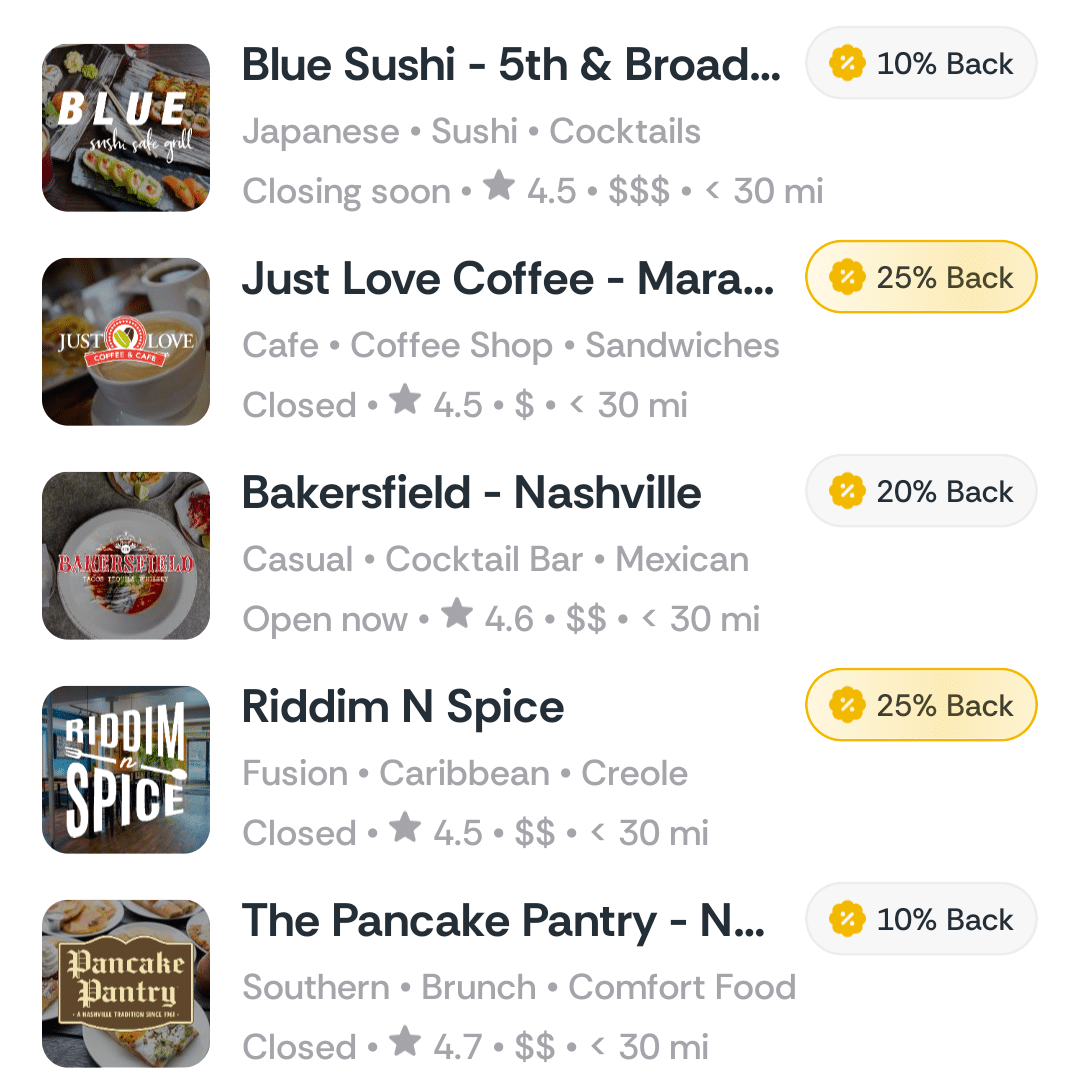
Up to 25% back
When you pay with inKind, you get a percentage back as inKind cashback that you can use on a future purchase. If you’re already planning to eat out anyway, why not earn credit that can be used on a future meal?
The cashback you get varies by date and location. It can be anywhere from 5%-25% cashback.
What purchases earn cashback?
Any time you use inKind to checkout at a participating restaurant, you have the opportunity to earn cashback. Cashback is calculated based on the remaining price of the meal after coupons and cashback have been applied. Gratuity does not earn cashback.
Coupons
inKind regularly offers different types of coupons and special offers to help you save even more. There are a few ways to find these coupons.
Many times they are sent out through email or text message. If you’re interested in getting these coupons, you can opt in to texts and emails when you sign up for inKind.
You can find targeted offers under the “rewards” tab of the app. Doctor of Credit is a good place to look for current coupons and promotions.
The first time you visit a restaurant and pay with inKind, you can often get a coupon by going to the restaurant’s website and putting in your e-mail address.
For example, this offer was right on the home page of this restaurant’s website (St Vito Focacceria in Nashville):
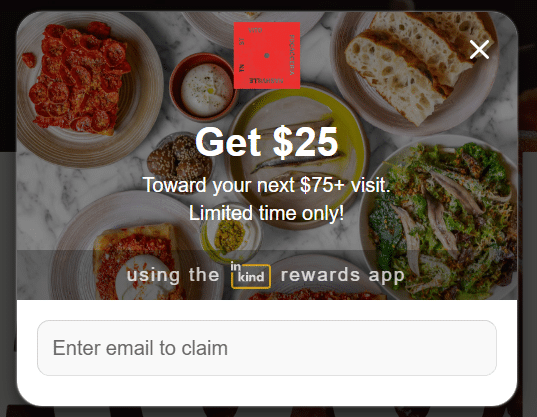
I’ve seen similar offers from several other restaurants as well.
How to Find Participating Restaurants
Visit inKind.com/explore to find restaurants near you. You can also search using their app.
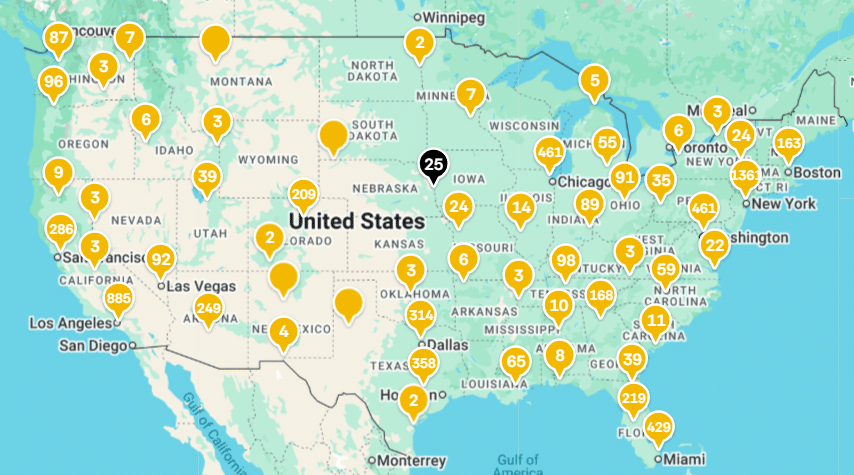
When the program first came out, the number of restaurants was very limited, and they were mainly in big cities. Over time, they’ve added a lot more restaurants, and you can now find locations all over the United States.
You will still find the most options in major metropolitan areas like New York, Los Angeles, and Chicago, but there are some nice options in smaller cities as well.
They’re adding more restaurants all the time, so even if you don’t see something that interests you, check back in a few months!
What kind of restaurants are included?
A wide variety of restaurants are included at varying price points. You can find small local places and some larger chain restaurants. Different types of restaurants, like coffee shops, steakhouses, bakeries, and bars are all included.
How to Use inKind
Using inKind is simple and fast. Here’s how to get it set up:
Sign Up
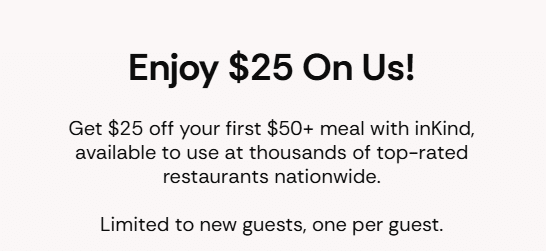
First, you need to sign up. You can sign up on their website or through the app. When you sign up, you get $25 off your first purchase of $50 or more.
If you use a referral link, your friend can also earn a bonus for referring you.
Choose a Credit Card
You can add one or several credit cards to your account. You’ll use the linked card to pay when checking out at a restaurant.
Pro tip: inKind codes as dining, so use a card that gives you extra points on dining purchases.
Paying with inKind
Dine at a participating restaurant as usual. When it’s time to pay, you’ll use the inKind app rather than giving your credit card to the server or cashier. Once they give you a copy of the check, you can start the payment process with inKind.
For locations like a coffee shop where you don’t get a printed copy of the check before paying, just let the cashier know you’d like to pay with inKind.
The Payment Process
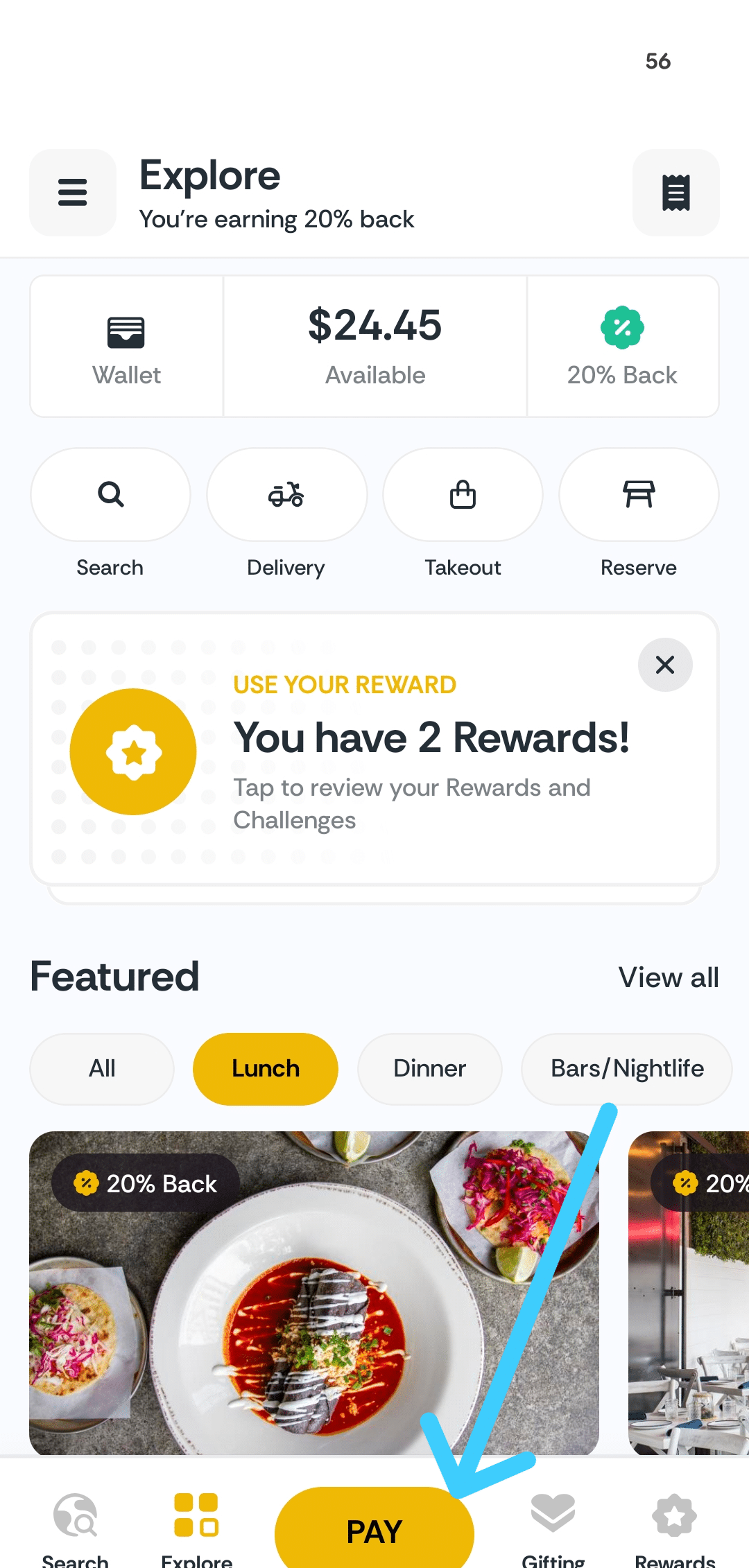
Open the app and select “Pay” at the bottom of the screen. The “Pay” button always appears at the bottom of the app, so it’s easy to find.
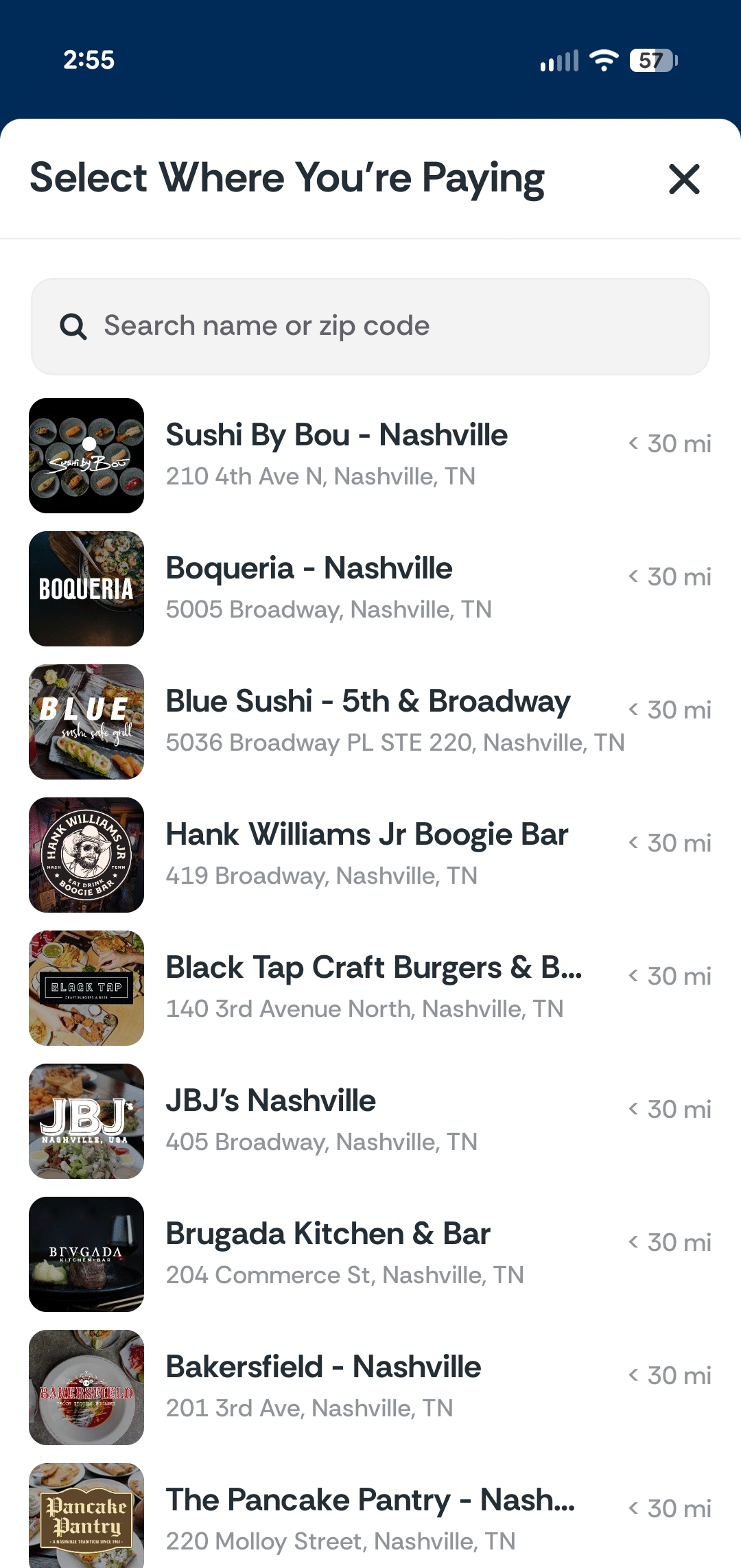
Once you click “pay” you’ll be prompted to select the restaurant where you’re paying. You can use the search bar at the top to easily find the right restaurant.
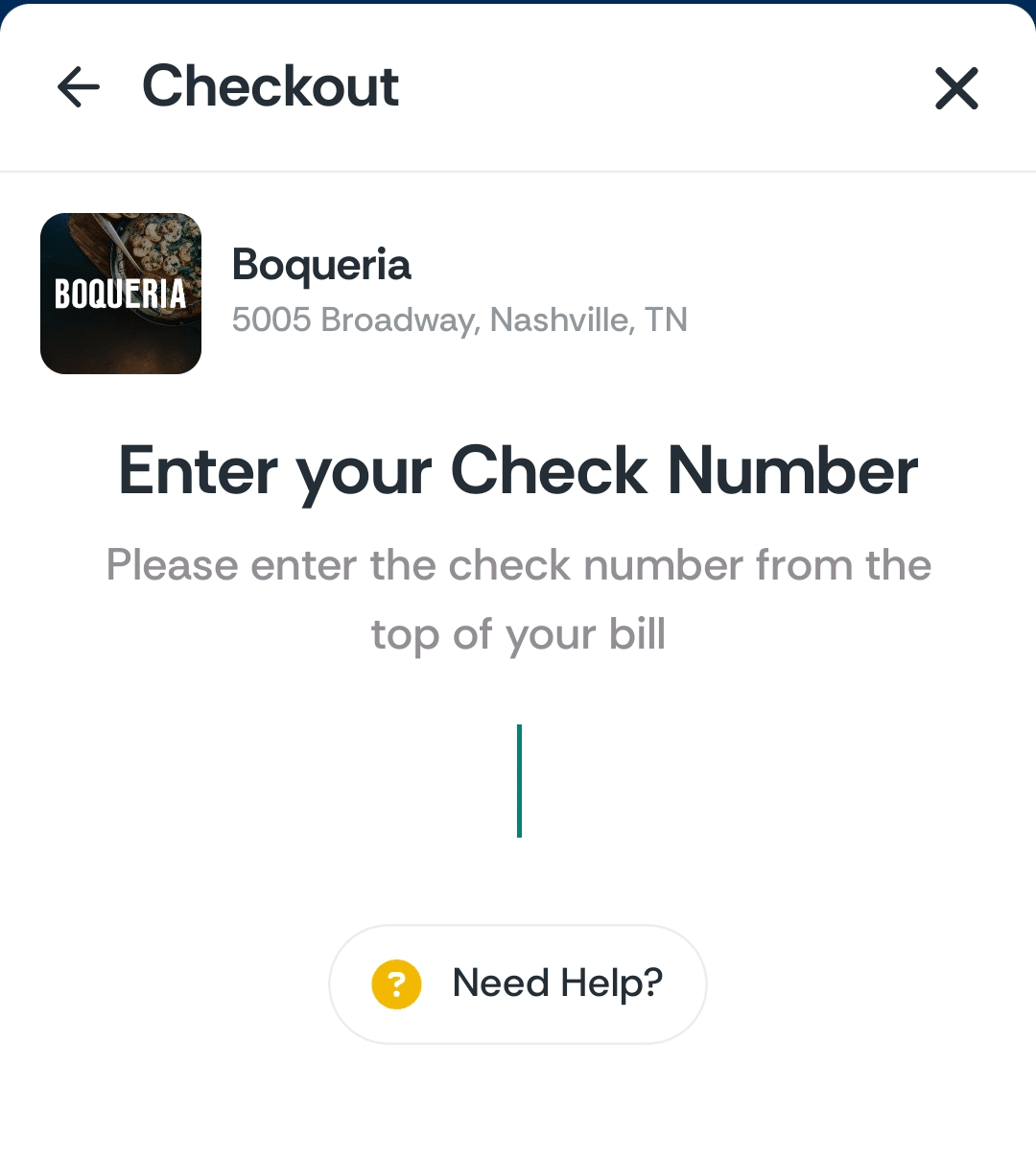
After selecting the restaurant, you’ll be prompted to input the check number. This is found on the printed check you receive from your server. If you can’t find it, ask your server for help.
If you didn’t get a printed check before paying, let the cashier know you’d like to pay with inKind and ask them for the check number.
Some restaurants will have you put in the total, rather than the check number. If it asks for the total, you’ll put in the amount of your bill including tax (but not gratuity).
From there, you’ll be able to see the details of your bill and choose how you’d like to pay. You can add gratuity at this stage as well. If there are any coupons or special offers available, you can select which one you’d like to use.
inKind limits you to one type of special offer at a time. You can’t combine multiple coupons or use your inKind cashback balance with a coupon. Choose which offer gives you the best value, and select that when you check out.
Example of Checking out with inKind
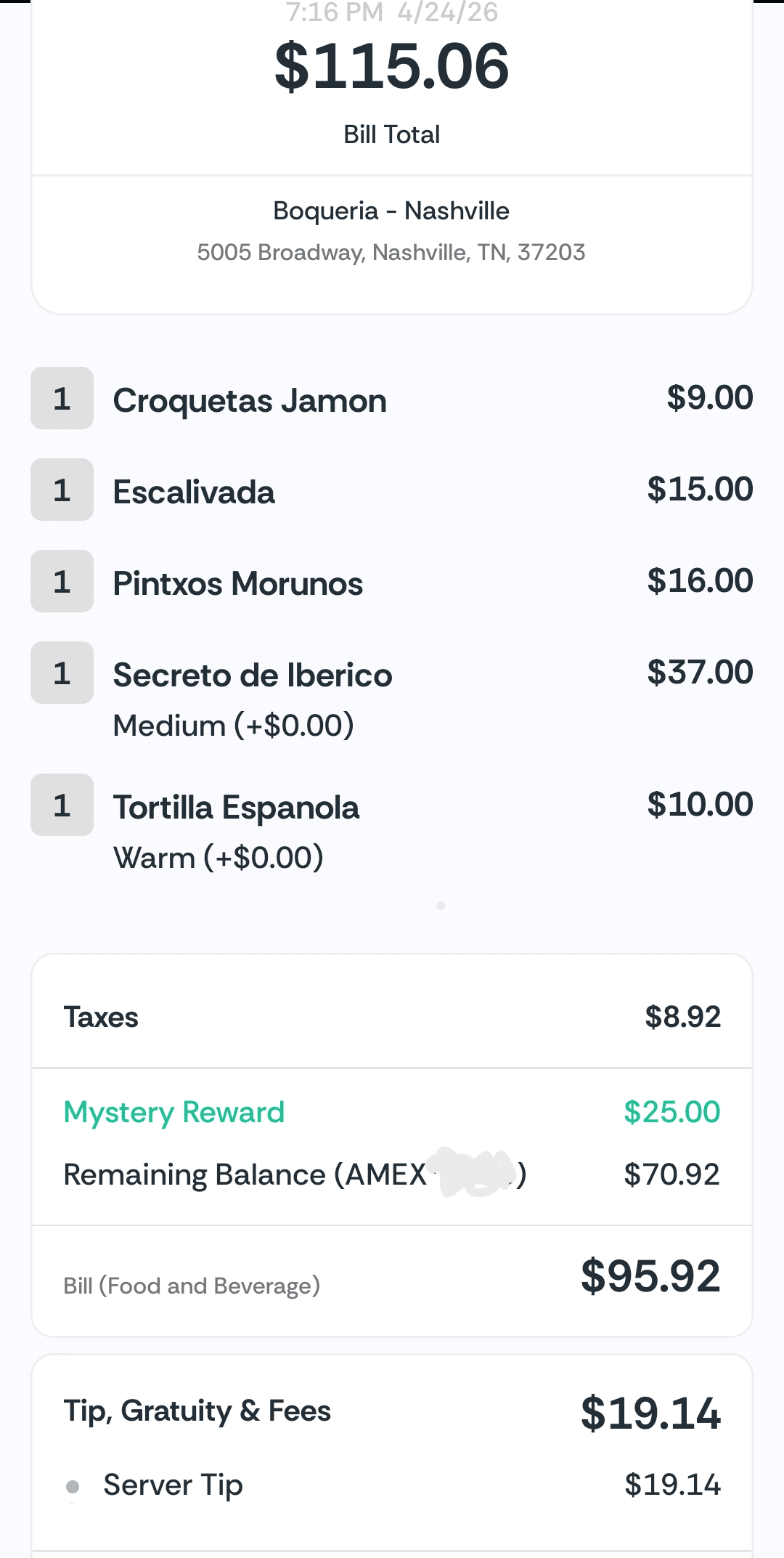
Here’s an example of a recent bill I had at a restaurant called Boqueria. For this check, the subtotal was $87 plus $8.92 in tax, for a total of $95.92 before gratuity. I added an additional $19.14 gratuity, for a grand total of $115.06, which is what you see at the top of the check.
I had an offer through inKind for $25 off $75 that I was able to apply to the bill. That left a remaining balance of $70.92 that I charged to my card on file. Gratuity is always charged separately, so there was a separate $19.14 charge for that.
Earn Cashback
You earn inKind cashback on every purchase. Cashback is calculated based on the total of your bill after any coupons have been applied. Any portion of your bill that is paid with inKind cashback does not earn additional cashback.
For example, if you have a $50 bill and use $25 of inKind cash to pay for it, you would only earn cashback on the remaining $25 of the bill that is paid with a credit card.
Gratuity and other fees also do not earn cashback, but taxes typically do.
For the payment example, I earned 20% cashback on the remaining balance of my check after the coupon came off, which was $70.92. That amount includes the taxes, but not the gratuity.
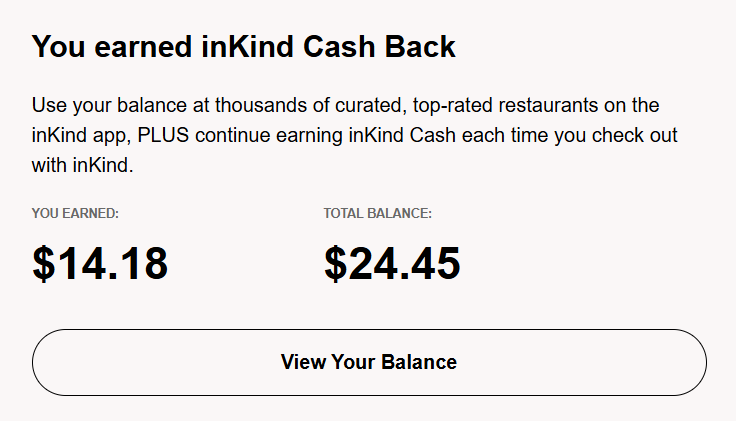
Cashback can be used on a future purchase at any restaurant that participates with inKind.
inKind Cash vs Cashback
You can purchase inKind cash through the app to use at restaurants. This is essentially like a gift card you get through the app itself. The cash can be used to pay wherever you normally use inKind. When you purchase inKind cash, you earn a bonus based on how much you purchase.
inKind cashback is what you earn when you make a purchase at a restaurant.
You can find the balance of both in your wallet in the app.
Is it Worth Buying inKind Cash?
Personally, I don’t prefer to do this. You can’t use inKind cash with a coupon, and I prefer to use coupons and special offers. Coupons are offered so regularly, I have one to use almost every time I use inKind. If I don’t have a coupon to use, I use my cashback balance to pay.
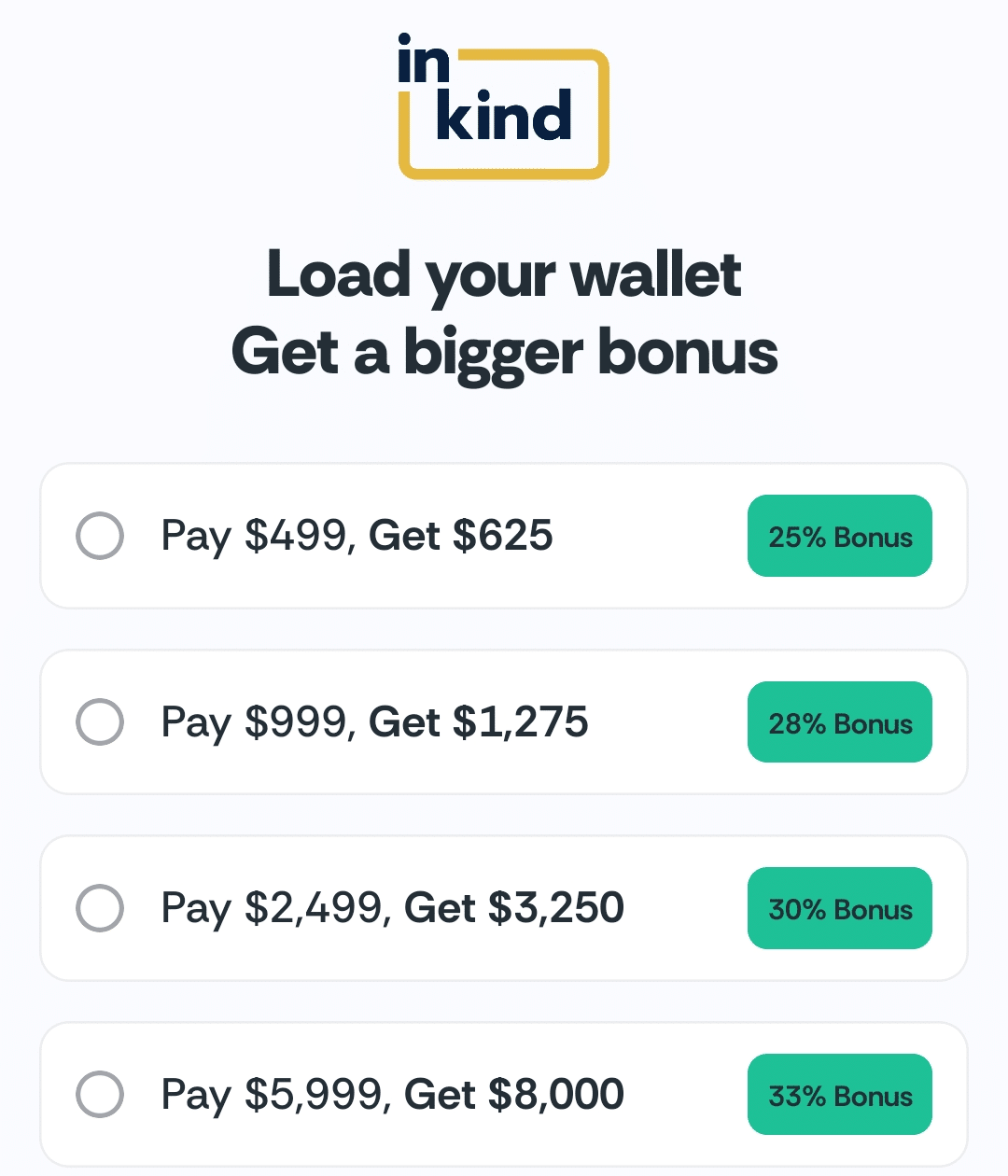
Another thing I don’t like about inKind cash is that you have to purchase a lot at one time. The minimum you can purchase is $499, and for me, that’s a lot. I don’t use inKind often enough to justify that amount. I would rather pay as I go.
Purchasing a discounted gift card from a retail store is generally a better value, and you don’t have to purchase as much at one time.
For example, Costco sells $100 inKind gift cards for $74.99. At that price, you could purchase $600 in gift cards, and it would only cost you $449.94. That’s a better value than paying $499 for $625 in credit directly from inKind. And you don’t have to buy six at once; you could easily buy one or two gift cards at a time and then buy more as you use those up.
Expiration Dates for inKind Cash and Cashback
When you purchase inKind cash, it never expires. If you earn a bonus (such as get $625 when you spend $499), any promotional balance you earn on top of the purchase price expires after three years.
inKind cashback expires two months after the calendar month in which it was earned. You can extend the expiration date by using inKind to make a purchase any time before that date.
If you dine and check out with inKind, you extend the expiration date of any cashback to two months after the calendar month in which you make that purchase.
For example, if you have cashback that will expire on July 1, you can make a purchase with inKind any time in June, and the expiration date will be extended to September 1.
You can also gift your inKind balance to someone else using the “Gifting” tab in the app.
Save Even More with inKind Gift Cards
You can regularly find inKind gift cards at a discount from places like Costco, Target, and Walmart.
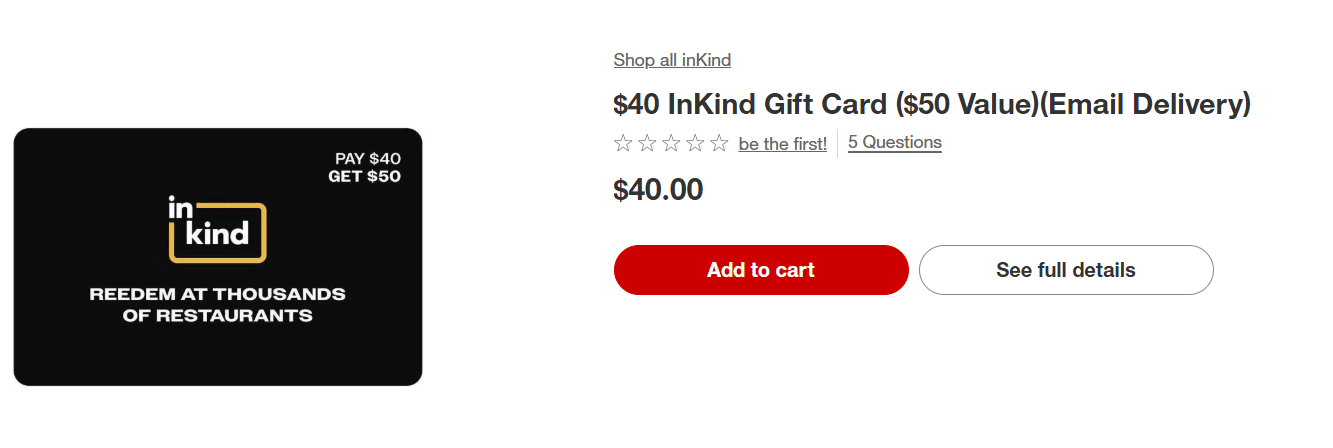
Costco normally sells inKind gift cards for $74.99, but occasionally, they run a sale where you can get a $100 inKind gift card for just $64.99
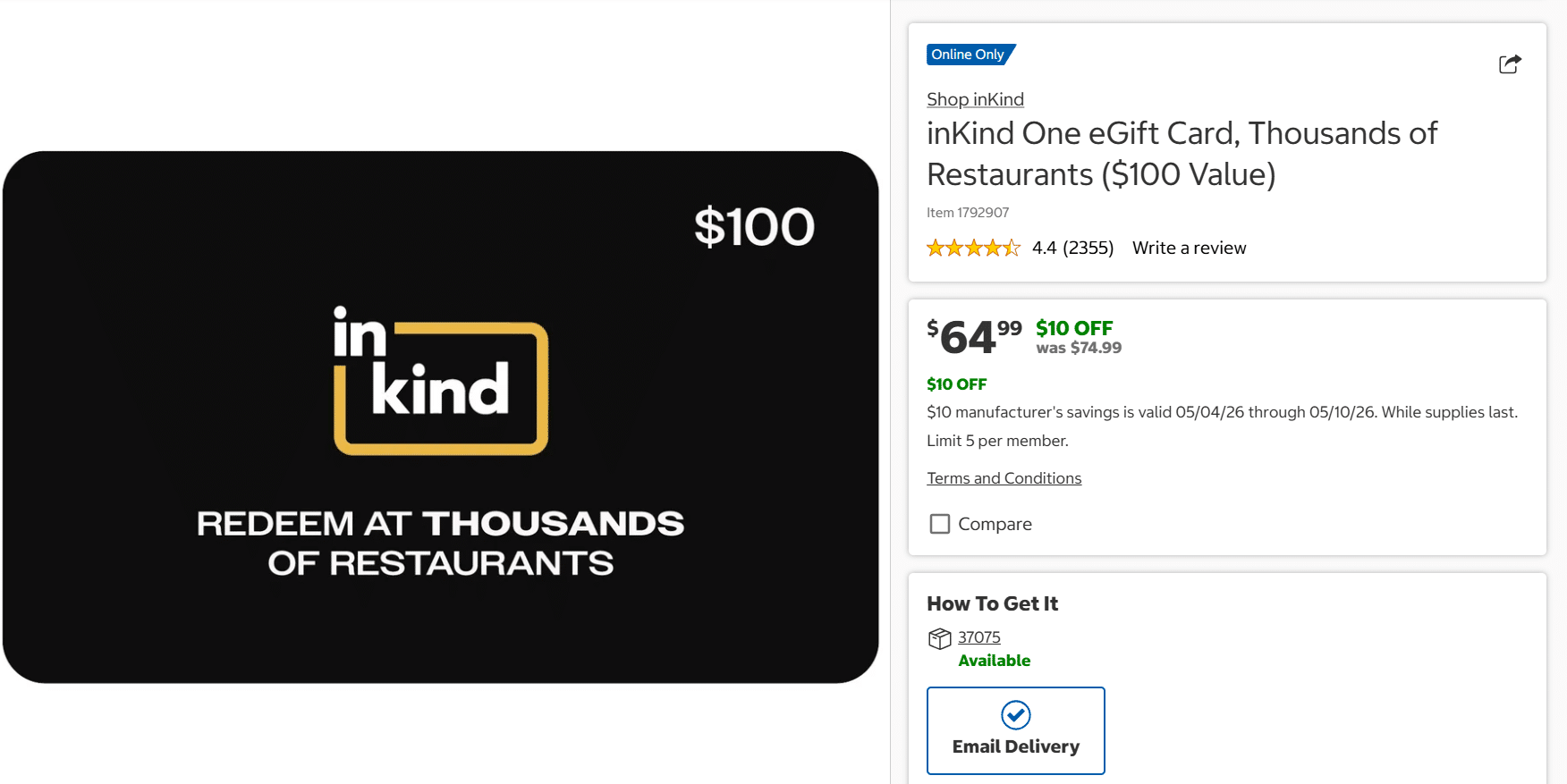
This is a great deal and can save you a good amount of money if you were already planning to eat out at a restaurant that is included with inKind.
Paying with a Gift Card
Load your gift card to the app, then use it at checkout when you pay with inKind.
Gratuity cannot be charged to a gift card. You can add gratuity in the app, and it will be charged to the credit card you have on file.
Stacking inKind Payments and Offers
When checking out, you can only use one payment method or offer at a time.
For instance, you cannot use a gift card or inKind cashback with an inKind offer, you have to choose one or the other.
When paying with a gift card or using an offer, you only earn cashback on the remaining portion of your bill that is charged to a credit card.
Stacking with American Express Resy credits and Amex offers
Some American Express cards come with semi-annual credits to Resy. For instance, the American Express® Gold Card comes with two $50 credits per year.
All information about American Express cards have been collected independently by Katie’s Travel Tricks.
Some restaurants participate in both Resy and inKind, which means you have the opportunity to stack these benefits.
When you pay your bill at a participating restaurant, the charge will show up as two separate transactions on your American Express card. One for the main portion of your bill plus any taxes and fees, and a separate charge for gratuity.
The main portion of your bill doesn’t count towards the Resy credit or Amex offers. Any gratuity paid with the card does count towards the Resy credit and Amex offers.
Here’s an example from my recent purchase through inKind at Boqueria. As you can see from this screenshot, the main bill came out to $70.92, and the gratuity was $19.14. I received Resy credit only for the gratuity.
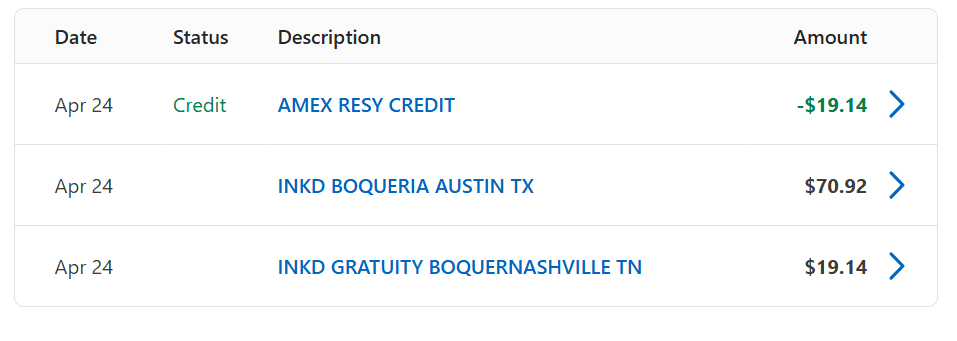
The same is true of Amex offers. Only the gratuity portion counts towards the total for the offer.
Here’s an example of an Amex offer I have on my account for this restaurant, Boqueria. In order to stack this Amex offer with inKind, I would have to spend $75 in gratuity, because gratuity is the only portion of the bill that will trigger Amex offers.
On the other hand, I could pay the restaurant directly without using inKind. In that case, the total charge to my credit card would need to be at least $75 total to trigger the offer; it doesn’t matter how much of that is the main bill vs the gratuity.

If you don’t have a coupon to use with inKind, and you do have an Amex offer, it could be a better value to pay the restaurant directly rather than use inKind. In this particular case, I had a $25 off $75 offer from inKind, plus I earned $14 in cashback on the purchase, so that was a better deal than using this Amex offer.
Stacking with Chase Sapphire Reserve dining credits
The Chase Sapphire Reserve® comes with semi-annual dining credits as well. You get $150 in credits twice per year for select restaurants via Sapphire Reserve Exclusive Tables.
Some restaurants participate in both the Exclusive Tables program and inKind, which means you have the chance to stack the benefits.
Like with American Express, when you pay at a restaurant using inKind, the transaction will show up on your credit card as two separate purchases. One for the main portion of your check + tax/fees, and one for the gratuity.

Whether or not the charges trigger the dining credit seems to vary depending on the restaurant. For some restaurants, the main portion of the bill and the gratuity trigger the credit, while at other restaurants, only the gratuity will trigger the credit.
Should I Use inKind for This Meal?
Compare paying through inKind vs. paying the restaurant directly — useful when card credits and Amex Offers are in play. Hover or tap any ? for help.
Your Bill
inKind Offer
Card Benefits
Stacking with Bilt Dining, AAdvantage Dining, and Other Dining Programs
Dining programs like Bilt Dining, AAdvantage Dining, and others allow you to earn points when you use a linked card to pay at a participating restaurant.
You sign up with the program, then you earn points automatically when you check out at a participating restaurant using a linked card.
You still earn credit with dining programs when you use inKind, but typically only the gratuity will trigger the dining program.
Here’s a screenshot from my Bilt account of what I earned from my recent visit to Boqueria through Bilt Dining. Only the $19.14 gratuity shows up in Bilt, so that’s the only portion that earned points. 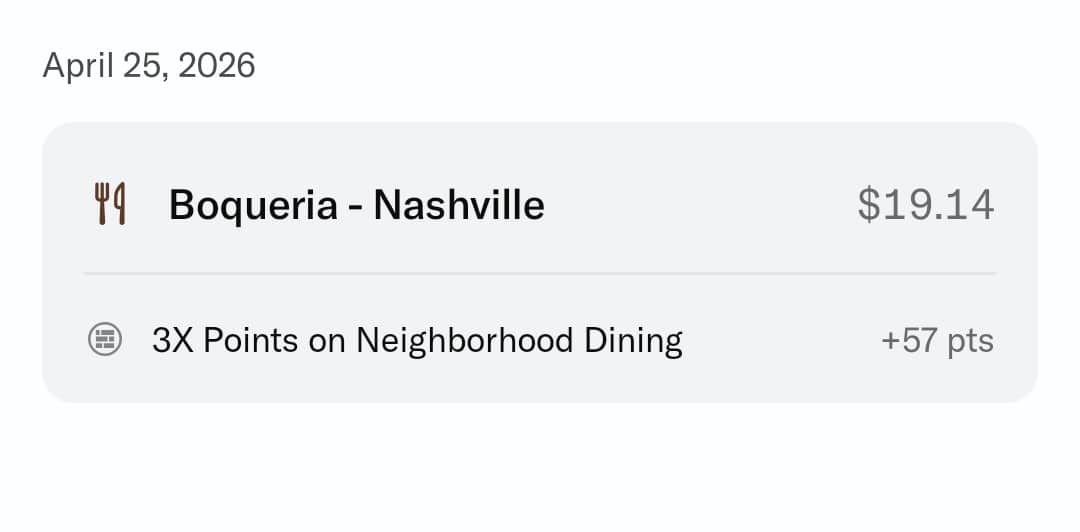
inKind Pass
You can pay $9.99 per month for access to inKind Pass. With the pass, you earn 20% back when you dine and use the app, and you get access to exclusive reservations and special events.
Since you already get up to 25% cashback just by using the app, this isn’t worth paying for.
Is inKind For You?
Like with anything in points and miles, you don’t need to take advantage of every deal. Some deals make sense for some people, but not others. If you are spending money you wouldn’t have spent just to get a deal, then it’s not really a deal. But–if there are some good restaurants near you that you would have eaten at anyway, then inKind can be a good way to save some money on that purchase.
I started using inKind because one of my favorite restaurants was included. It was an easy way to save money on a place I already like going to. The coupons offered through the app continue to make it a good deal for me. I’ve also found that it’s a good way to try new places with a discount.
Being able to stack inKind with my other benefits, like the Amex Resy credit, is a nice bonus!
Table of Contents
Responses are not provided or commissioned by the bank advertiser. Responses have not been reviewed, approved or otherwise endorsed by the bank advertiser. It is not the bank advertiser’s responsibility to ensure all posts and/or questions are answered.

I used InKind on a recent trip to NYC and saved quite a bit. Also cross referenced Yelp and other reviews as the ones on InKind are not very descriptive. Another thing I heard from a restaurant owner is that they can turn off/on the program based on demand. My favorite restaurant turns theirs on in slow months and off in busy months.
thanks for adding that info! that’s pretty interesting they can turn it on/off! Makes sense!