

All content was accurate at the time of publication. Check issuer’s site for most up to date information.
katiestraveltricks.com has partnered with CardRatings for our coverage of credit card products. katiestraveltricks.com and CardRatings may receive a commission from our partners. American Express is a katiestraveltricks.com advertiser. This compensation may impact how and where links appear on this site. This site does not include all financial companies or all available financial offers. Terms apply to American Express benefits and offers. Enrollment may be required for select American Express benefits and offers. Visit americanexpress.com to learn more. For Capital One products listed on this page, some of the above benefits are provided by Visa® or Mastercard® and may vary by product. See the respective Guide to Benefits for details, as terms and exclusions apply.
Paze Promos (10x + $10 off $10+)
Paze is an online checkout system, similar to PayPal, Apple Pay, Google Pay, and other checkout methods. When you link Paze to one of your credit card accounts, you can use Paze to check out at several different merchants, including United Airlines, Domino’s, and more.
The charge will post to your credit card the same way it normally would, with the name of the merchant attached.
Paze is created and operated by Early Warning Systems, which is the same company that operates Zelle.
In trying to drum up business, there have been a lot of Paze promos and this posts consolidates what we know about all of them and helps you know how to sign up and activate the promotions.
One Promo Now
**The $10 off $10 promotion has ended, but the 10x promo with Chase is still active!**
Chase has a promo where you can earn 10x on purchases you make with Paze on certain cards.
Earlier this summer, there was a promo to get $10 off $10+ a Paze purchase up to 10x on each card linked to Paze, but this ended on September 10th, 2026.
Banks Connected to Paze
Paze is offered through “participating banks and credit unions,” and you can only use it if you have an eligible card from one of them.
As of June 2026, the institutions currently offering Paze are Bank of America, Capital One, Chase, Citi, Elan, PNC, Star One Credit Union, Truist, U.S. Bank, and Wells Fargo, with more listed as “coming soon.” Elan issues cards on behalf of many smaller community banks and credit unions, so small credit unions may have access as well.
Chase Promo – Earn 10x (through December 31, 2027)
Chase has introduced a new promotion where you can earn an extra 10x points per dollar when you use Paze to check out at select retailers. The offer is good through the end of this year for both Freedom and Sapphire cards.
The extra points are on top of the normal points you earn by paying with a credit card. This is a huge opportunity to earn a lot of extra points!
Promotion Details
The Promotion is good through December 31, 2026.
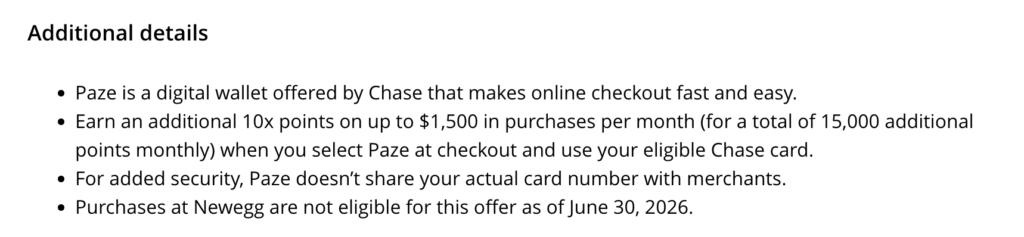
You earn an extra 10x points per dollar on up to $1500 spend per month. That’s a maximum of 15,000 extra points you can earn each month.
Bonus points should post to your account within eight weeks of the transaction posting to your account.
Authorized user accounts are not eligible.
Which Cards Are Eligible For This Promo?
If you don’t currently have any of these credit cards, now is a great time to sign up! Head to our Best Offers page to see what offers are currently available.
Chase Freedom Cards:
- Chase Freedom Flex®
- Chase Freedom Unlimited®
- Chase Freedom®
Chase Sapphire Cards:
- Chase Sapphire Preferred® Card
- Chase Sapphire Reserve®
Select United Cards also have the benefit. The maximum amount of bonus miles you can earn during the promotion with a United card is 20,000.
Eligible United Cards:
- United Gateway℠ Card
- United℠ Explorer Card
- United Quest℠ Card
- United Club℠ Card
- United MileagePlus® Awards Card
- United MileagePlus® Select Card
- United℠ Presidential Plus℠ Card
How Do I Know if I’m Eligible?
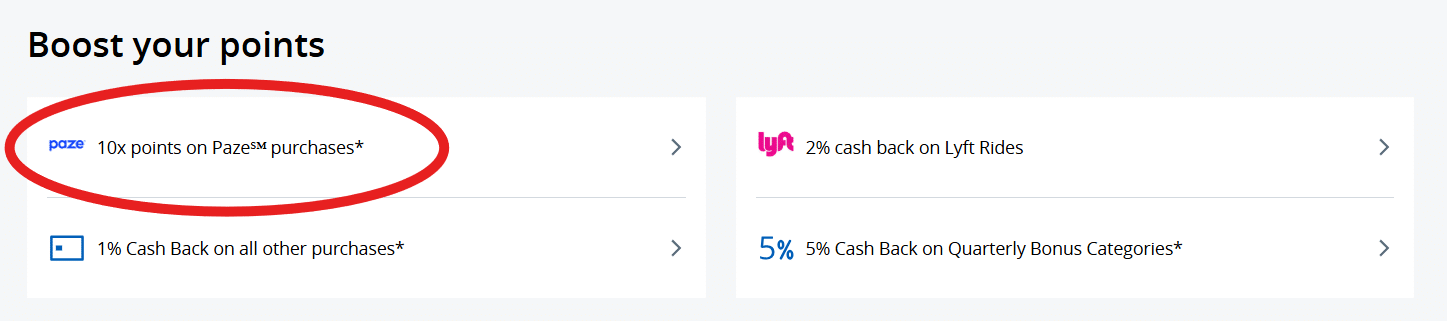
To confirm that your card is eligible, go to the benefits section of your card on the Chase website or app and look for Paze under “Boost your points”. If you see it, you’re good to go! Activation isn’t required; you just have to link your card to Paze.
Ways to Earn 10x (through December 31, 2027)
Through the limited time promotion that Chase is offering, when you check out with Paze and put the charge on a participating card, you will earn the normal amount of points that your credit card offers for that purchase, plus earn an additional 10x points just for using Paze.
For example, if you book a flight on United.com using your Chase Sapphire Preferred® Card and check out through Paze, you’ll earn 2x points for paying with the Sapphire Preferred, plus 10x points for checking out with Paze, giving you a total of 12x points per dollar spent.
Paze currently has about 25 merchants listed on their site. It’s not a huge list, but here are some simple ways you can earn 10x on purchases with this promo through December 31.
Update: NewEgg is excluded from the Chase Promo
Chase added terms that state all NewEgg purchases are excluded from the Chase 10x promo as of July 1, 2026.
Groceries at Shoprite – up to 13x
If you live near a Shoprite, you can order groceries for pickup for the same price as in-store prices. You can even use digital coupons. When you check out with Paze, you’ll earn an additional 10x. If you were paying with a Chase Sapphire Preferred® Card you earn 3x for online grocery orders, meaning you’ll earn a total of 13x on groceries.
United Airlines – up to 14x
If you’re paying cash for a United flight, make sure to check out with Paze! You’ll earn the 10x from the promotion as well as the normal 4x (if you pay with a Chase Sapphire Reserve®) or 2x (Chase Sapphire Preferred® Card). Paze doesn’t seem to appear as a check out option if you are booking a partner codeshare flight or just paying for award taxes.
Dunkin, Domino’s, Whataburger, Wendy’s – up to 13x
These are the restaurants/cafes currently listed on the Paze site. Dunkin and Domino’s should both show Paze when you check out via the app or the website. You’ll earn 10x from the promo + 3x for restaurants (either Sapphire)
Sephora
No longer a Paze merchant
Stubhub
Use Paze as an option when you use a browser to check out (not on the app). See below for how to stack this with the Sapphire Reserve bi-annual credits!
Teleflora – up to 25x
If you’re planning to send someone flowers, Teleflora is worth a look if you’re comparing prices. It’s almost always at 15x with Rakuten and we saw it at 10x at Shop With Chase on our Freedom card (more below)
GNC – up to 25x
If you buy supplements, protein powder, or protein bars at GNC, you’ll be able to check out with Paze for the 10x bonus. GNC is also usually on Capital One Shopping and Rakuten as well. When we were researching, Capital One Shopping gave Katie this $50 off $50 offer so she was able to try a few new protein bars essentially for free (after hearing rave reviews of Barebells). Rakuten’s standard rate is low but history on Savewise shows it regularly goes up to 15x. As a test, Katie did a subscription to see if she could pay with Paze and that did work, so it should work to even change over existing subscriptions to pay with Paze.

Fanatics
This one also appears in some shopping portals like Shop with Chase and Rakuten. There is a coupon code advertised that gives 30% off, but it seems fairly limited with a lot of exclusions.
How to Set Up Paze
1. Log in to your Chase account using the website or app.
2. Click on an eligible card
3. Go to Digital Wallets
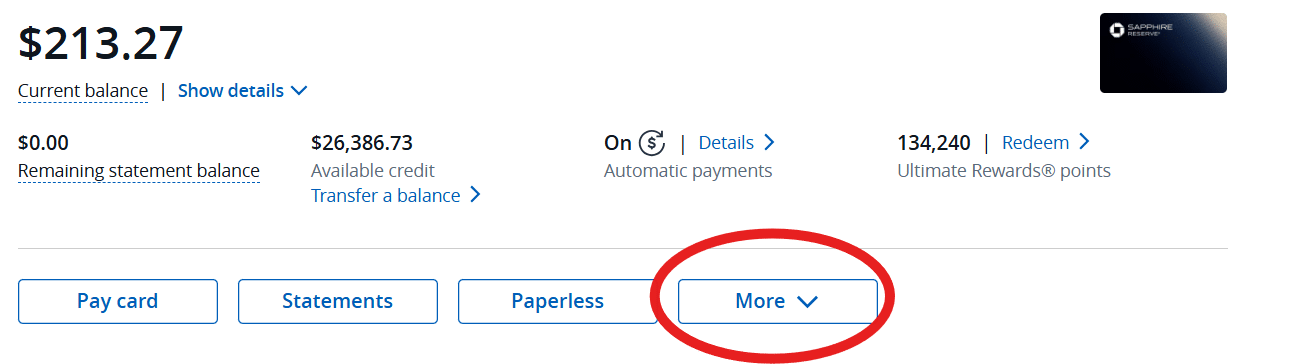
From the website: After selecting a card, click on “more” then choose “account services” and finally “manage digital wallets”.
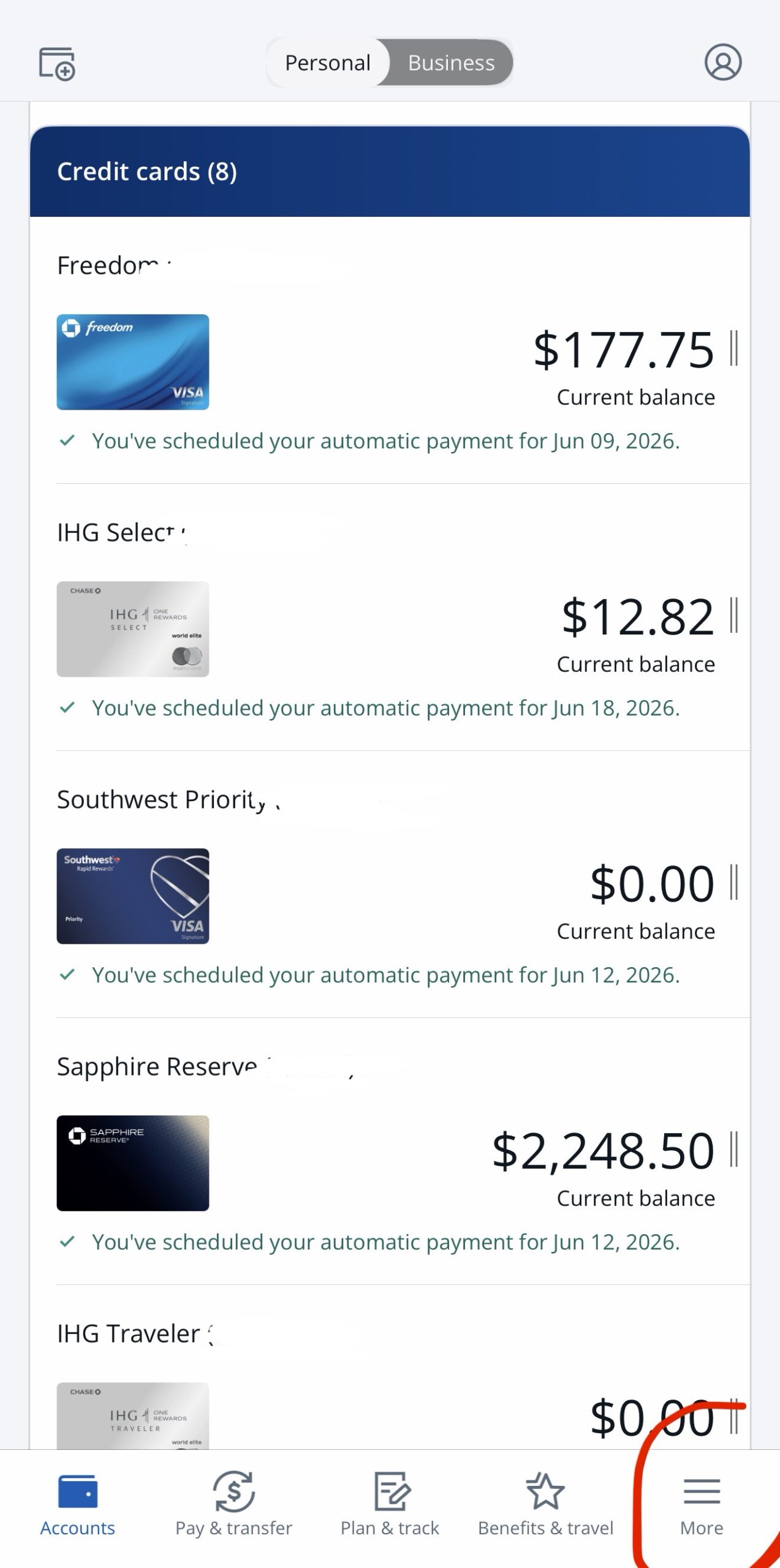
In the app: Once you’ve clicked on a card, go to “manage account”. Next, click on “digital wallets”. You can also select “more” from the homepage of your app (on the bottom right) without selecting a card first.
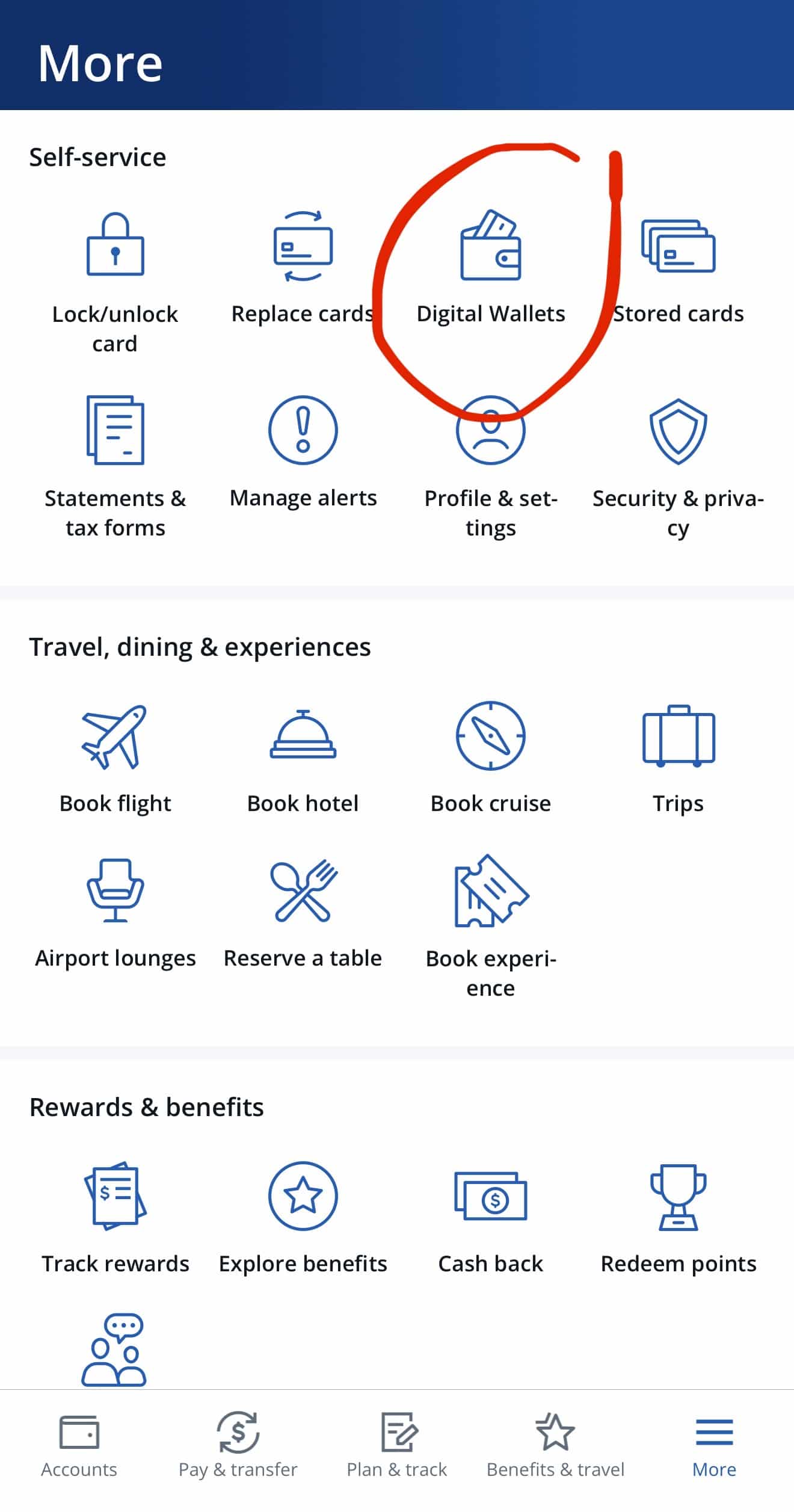
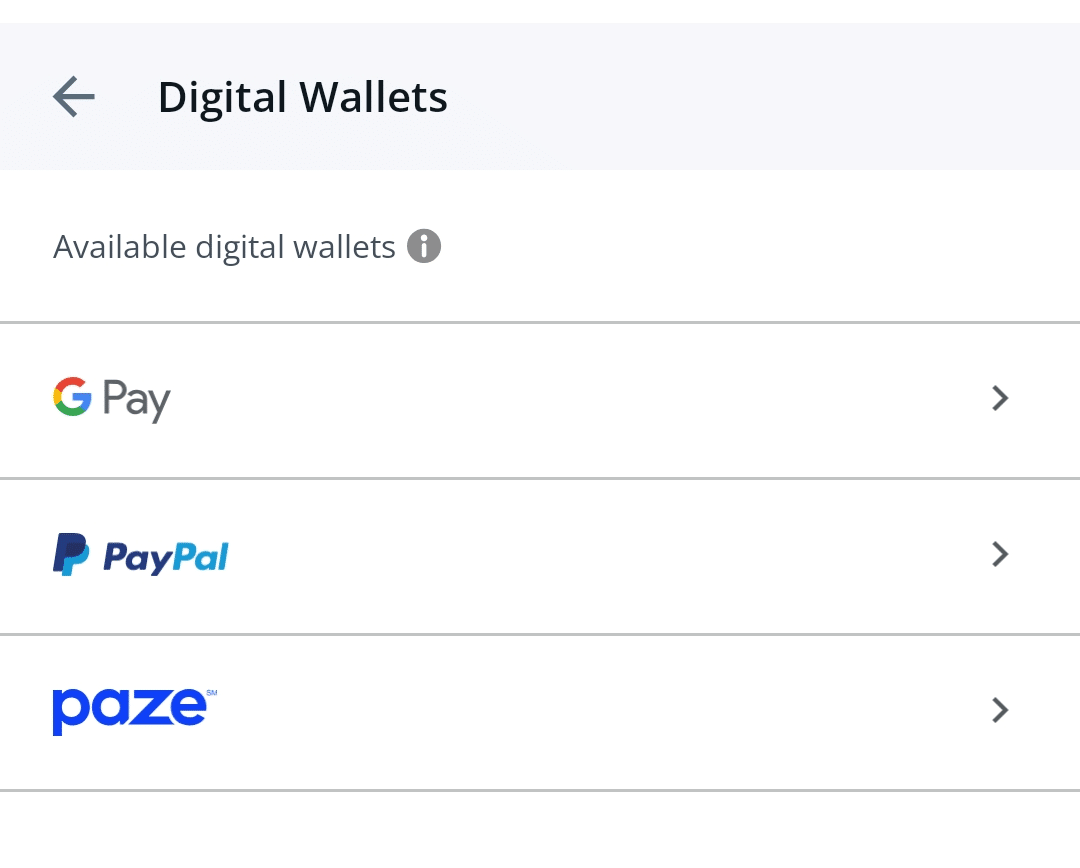
4. Select Paze and Verify Identity
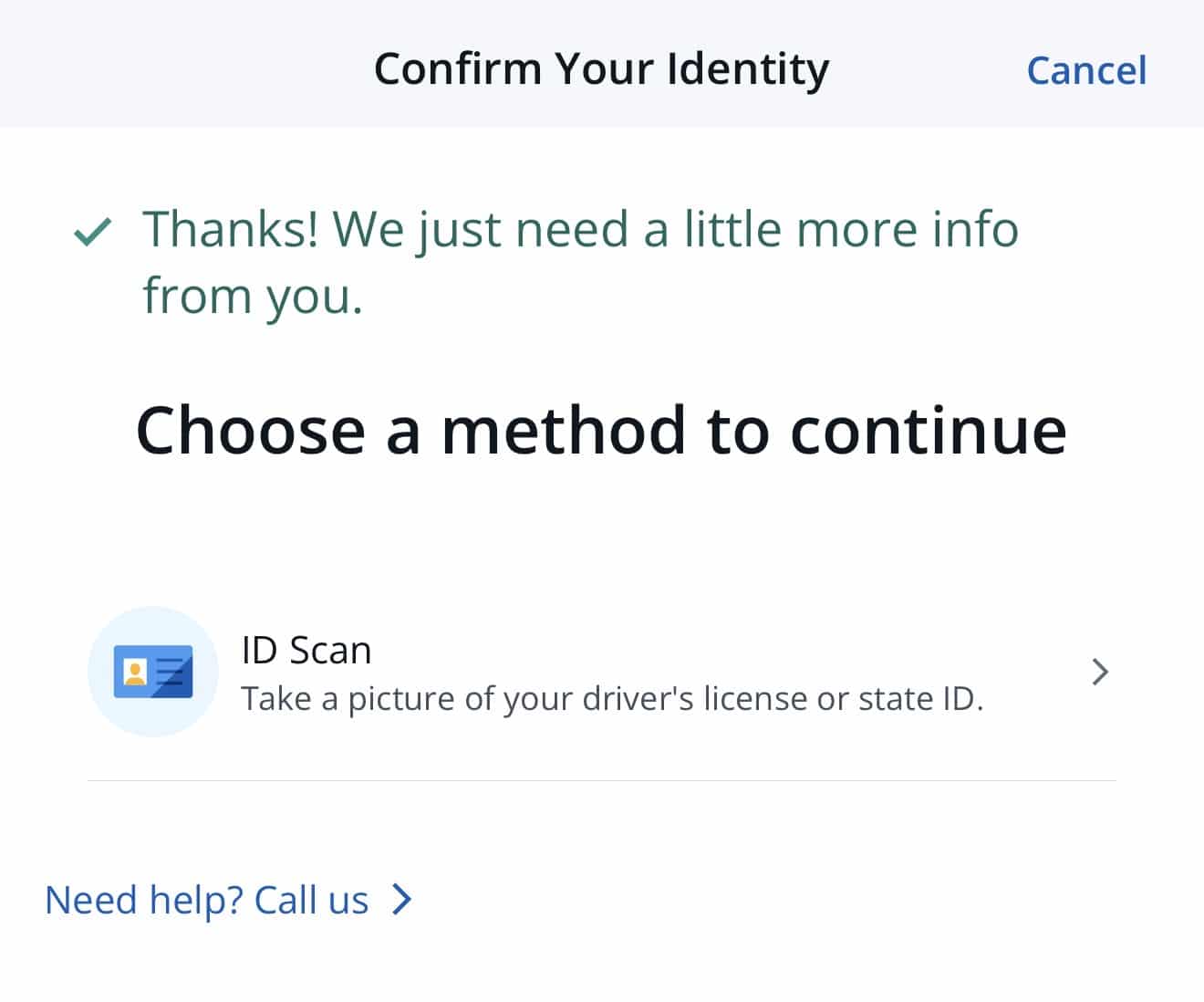
You’ll need to get a text or phone call with a code to verify that it’s you. Then you’ll need to submit an ID scan to confirm your identity.
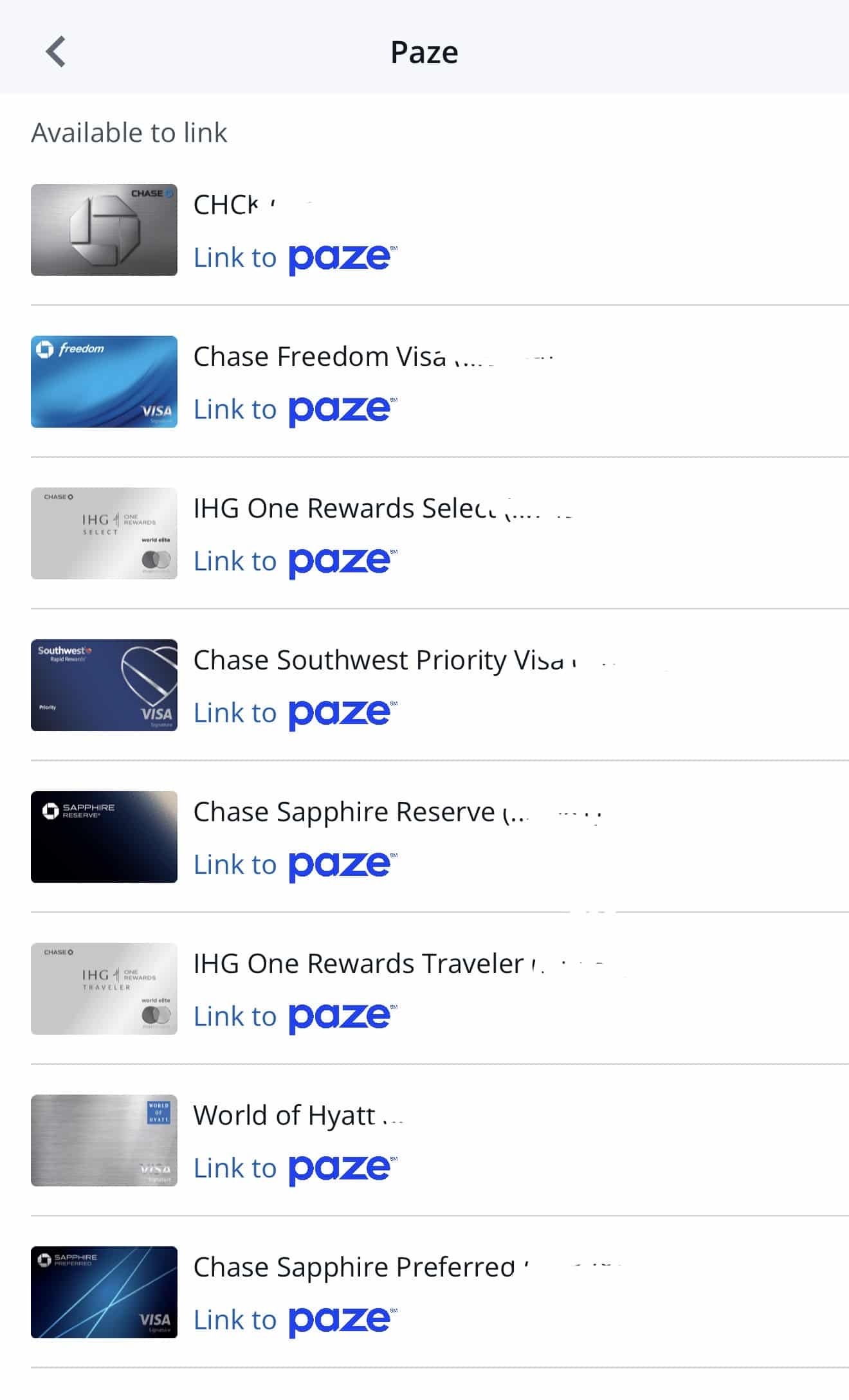
5. Select a Card to Link
You can link any of your Chase cards, but only the Freedom, Sapphire, and United cards will earn 10x points when you checkout with Paze as part of the promotion.
If you have multiple cards you want to use for the promotion, you’ll need to link each one to Paze.
6. Sign up with Paze
If you don’t have a Paze account already, you’ll be directed to Paze to set that up. Once your cards are linked, you can use them to checkout with Paze and start earning those extra points!
Paying With Paze
Once your cards are linked, paying with Paze is simple.
To earn extra points with Paze, you can shop as usual using a merchant website or app, then choose Paze as the payment method when checking out. Paze will ask you which linked card you want to use. Make sure to select one of the eligible cards to earn an extra 10x points!
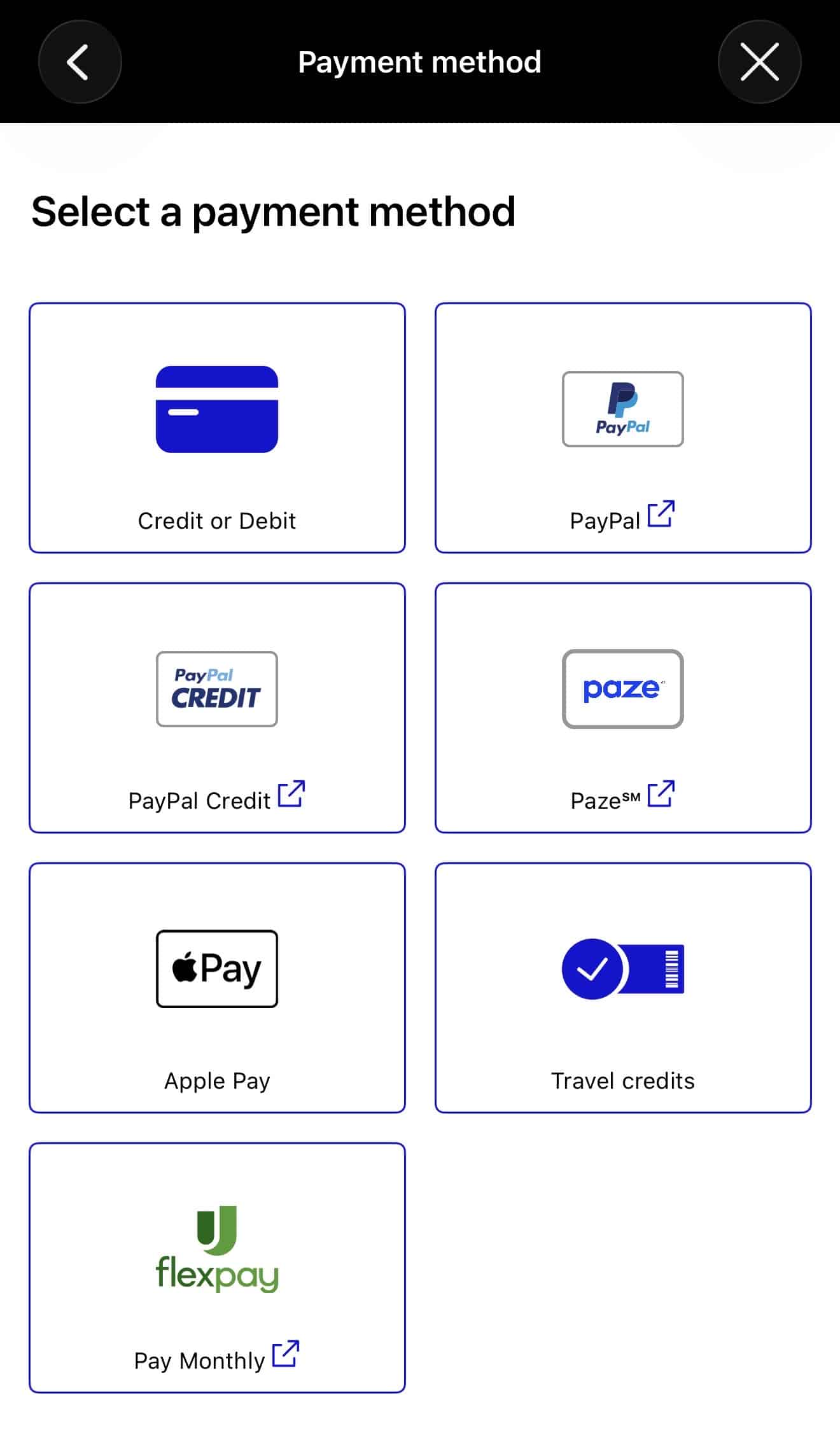
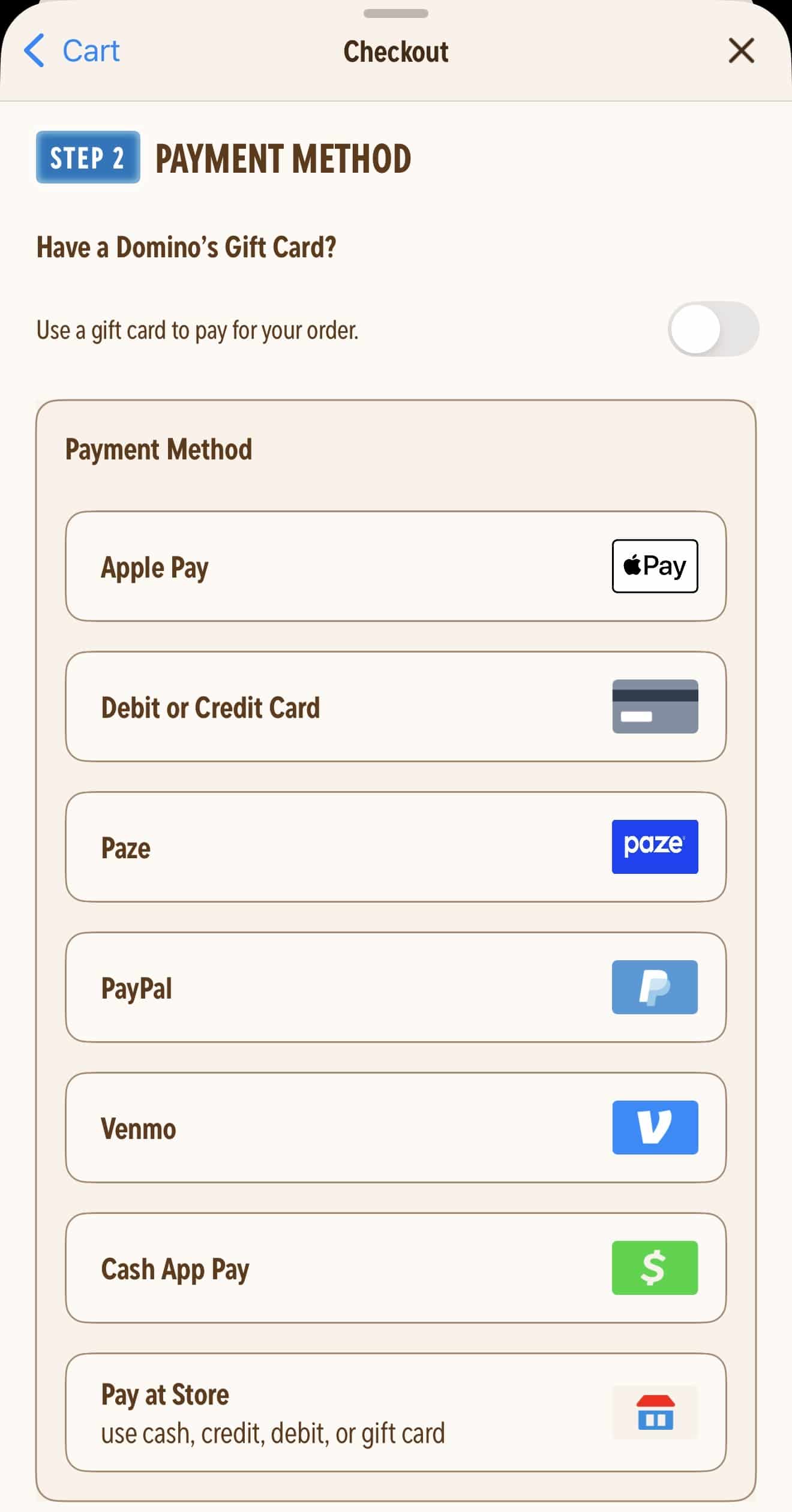
The 10x bonus points should automatically post to your account within eight weeks of the purchase posting to your card account.
Currently, there are only about 25 merchants available, but Chase and Paze both say that they are working to add more.
Stacking The Paze Promo with the Chase Sapphire Reserve Stubhub Credit
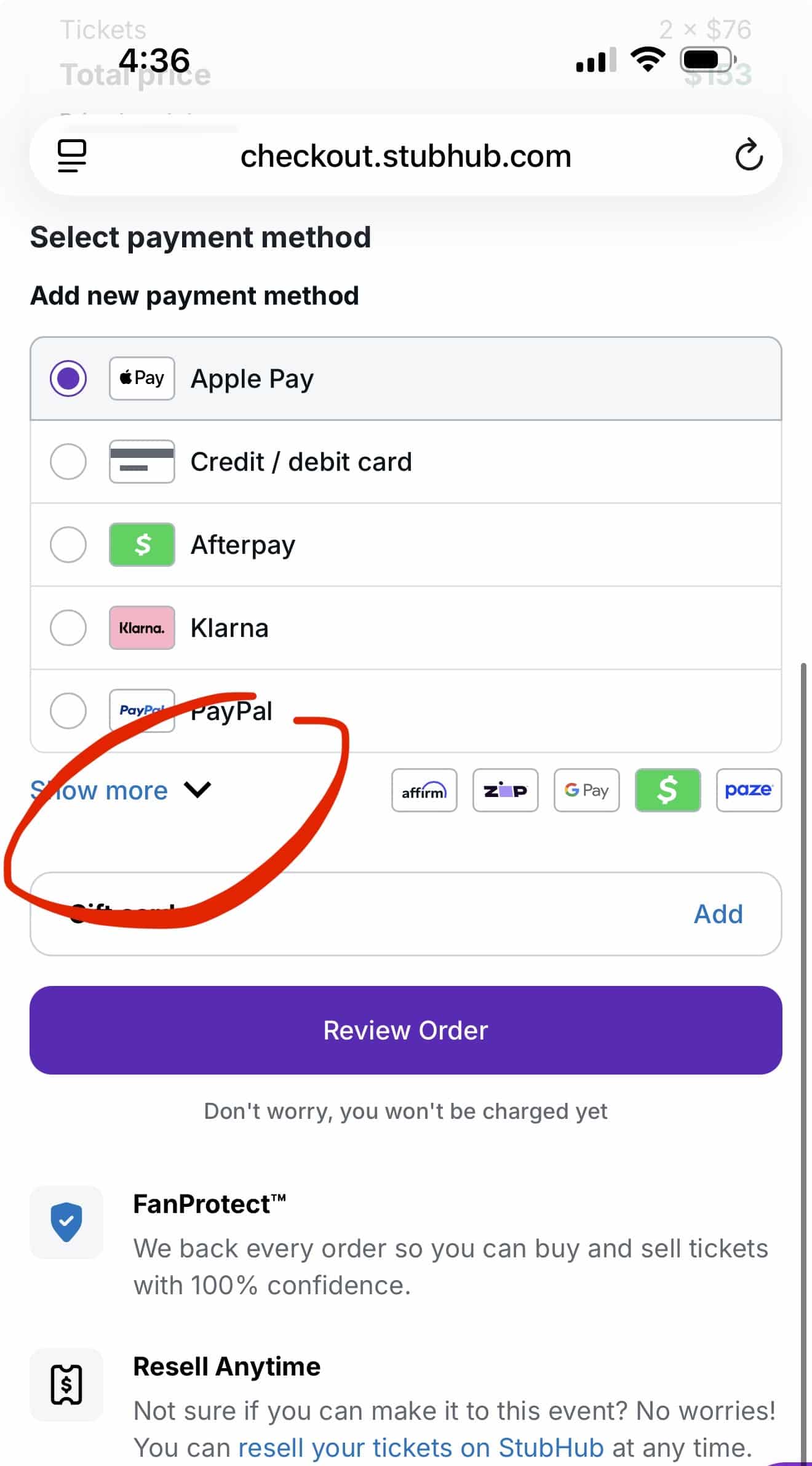
Paze doesn’t seem to be showing up on the Stubhub app as of right now, so use the website to take advantage of the extra points when checking out through Paze.
If you have the Chase Sapphire Reserve card, you can stack the Paze offer with your two $150 Stubhub credits! Just check out using Paze to get the 10x points, and you’ll automatically get the Stubhub credit just like you would if you checked out without using Paze.
The Sapphire Reserve comes with $300 in Stubhub credits annually. You get $150 for January-June, and another $150 for July-December. To learn more about the Stubhub credit, check out our full guide to the Chase Sapphire Reserve card.
Note: To see Paze when checking out through Stubhub, click on “Show more”. That’s where you’ll find Paze!
Stacking Paze with a Shopping Portal
You can earn even more points (or cashback) by using a shopping portal like Rakuten before heading to the merchant’s website to place an order.
Shopping portals like Rakuten, AAdvantage Shopping, and Shop and Earn through Chase give you extra points when you click through their link before making a purchase at a participating retailer. It doesn’t cost you anything to use a shopping portal, and you can earn a lot of extra points.
When the retailer is listed on a shopping portal and Paze, that’s where you have the opportunity to really earn a lot of points with this promotion!
For example, Teleflora is currently on Rakuten for 15x points and on Shop and Earn through Chase for 10x points (when you use a Freedom card).

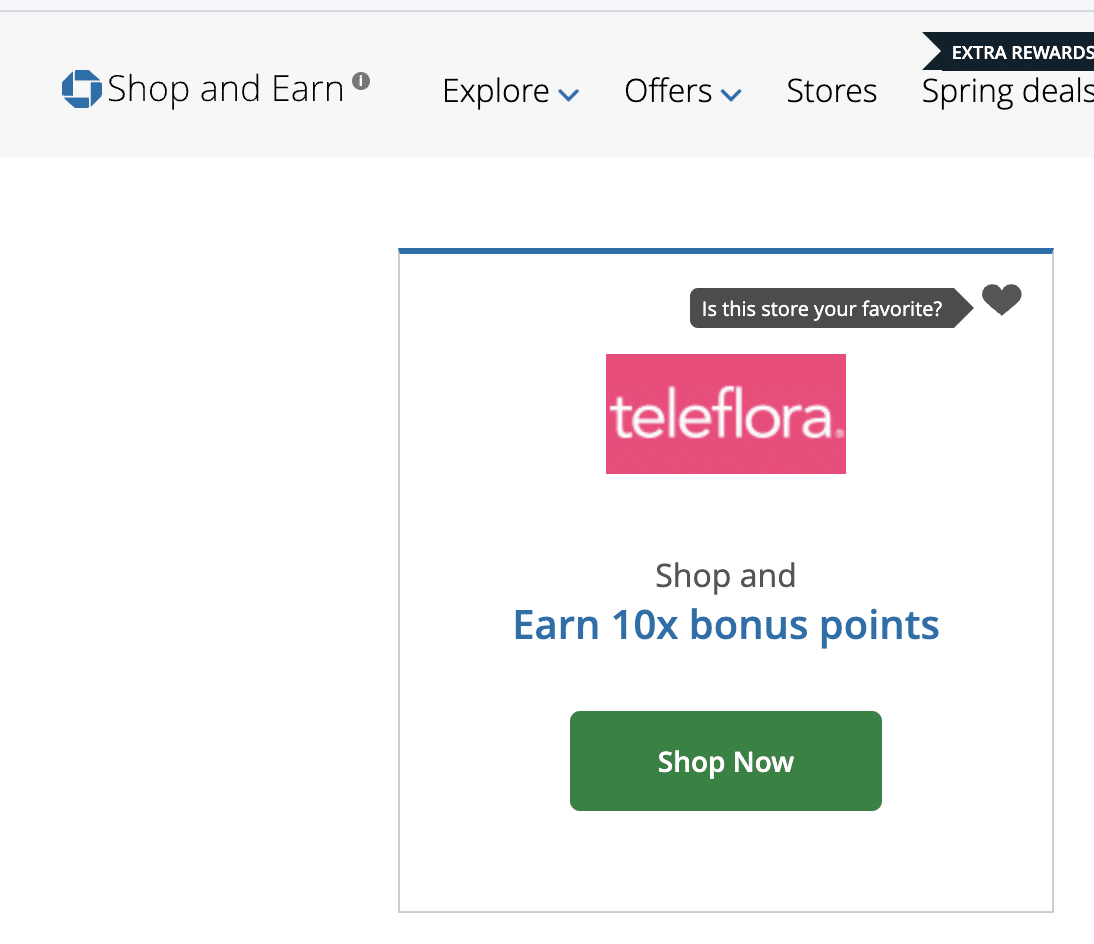
Let’s say you want to make a $100 purchase with Teleflora on your Freedom Unlimited card. First you’ll click through the Chase Shop and Earn page to earn 10x points. Then you’ll place your order and check out using Paze.
You’ll earn:
- 150 points for paying with a Freedom Unlimited card
- 1000 points for going through Chase Shop and Earn
- 1000 points for checking out through Paze
If you use Rakuten instead of Chase Shop and Earn, this is what you would earn:
- 150 points for paying with a Freedom Unlimited card
- 1500 points or ($15.00 cashback) for going through Rakuten
- 1000 points for checking out through Paze
Chase – Paze Troubleshooting
A group of people are having issues in the Chase app where it gives an error when they try to add cards to Paze. If this happens, try these tips
- Make sure Chase app is up to date
- Check your phone number on file with Chase. Make sure it is a mobile number (make sure also it is not a Google Voice number). Make sure it is assigned to each account. Go to the Chase App > More (bottom right corner > Profile and Settings > Personal Details > Phone
- If you have a business account with Chase that you use for unified sign-ins, try signing in to your personal Chase account and see if it works from there
- Go to Paze and “Opt Out” and then start over in the Chase app with opting in. You’d go to Paze > Scroll to very bottom and select “Opt Out”
If Paze isn’t showing up as a payment option, here are some things you can try
There have been some glitches and quirks with the rollout. If you have any issues, try one of these tricks and see if that helps.
- If you’re using the merchant’s app, try using the website instead
- Log out and log back in on the website/app where you’re trying to make a purchase
- Try using an incognito browser
- Make Sure the email address on your Chase account matches the email address of your account with the merchant you’re trying to pay with
For some merchants, only certain transactions are eligible to use Paze. For example, on United, only United Airlines flights that are paid with cash are eligible. Partner flights or taxes on award flights don’t seem to be eligible at this time, even if you’re paying for those on the United website.
Promotion for $10 off $10, 10x (ended Sept 10)
This promo launched June 15. You can earn $10 off a $10 purchase when you check out with Paze, 10x PER card you have linked to Paze.
This $10 off $10 isn’t just for Chase cards! It’s for ANY card you link to Paze, even debit cards.
You can read the full offer terms on this offer here. Here are the most important things to note.
You have to spend $10 or more in one transaction.
If you only spend $9, you won’t get anything back.
You have to check out via Paze.
I assume the whole point of this is to drive sales THROUGH Paze so you need to check out via Paze for this to work. Paze merchants are fairly limited. But see below for practical uses of this.
Make sure you see the promo
It should look like this under your card. If you see it, you’ll know the promo is activated.
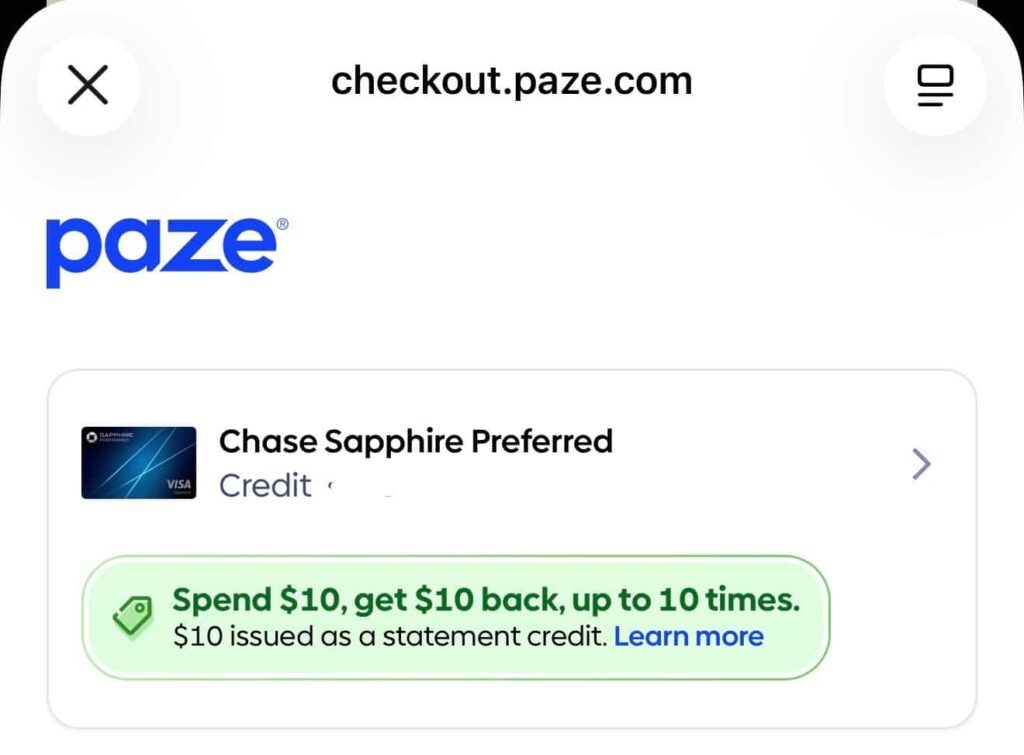
It can take 2 billing cycles for your $10 statement credits to appear
Terms state that it can take up to 2 billing cycles for your $10 statement credits to come. This is not an instant discount. You’ll put $10+ on your credit card via Paze. Then you will later get a $10 statement credit on your billing statement. There may be a lag.
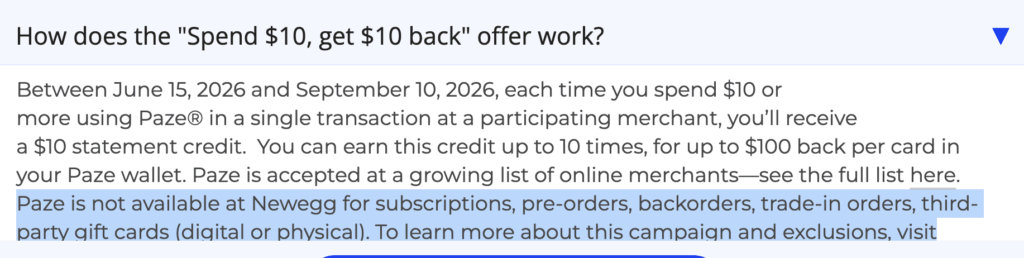
Many merchants exclude gift cards for Paze
On the day this promo was launched, a lot of people bought $10 gift cards from NewEgg. NewEgg has since added a restriction that third-party gift cards can no longer be purchased using Paze. These terms were added on June 16.
Easy Ways to Use the $10 off $10 promo
Many people have a handful of cards with this promo, which means potentially hundreds of dollars in credits, split across $10 increments. This may or may not be worth your time to use these! But here are some ways to use this.
Dunkin
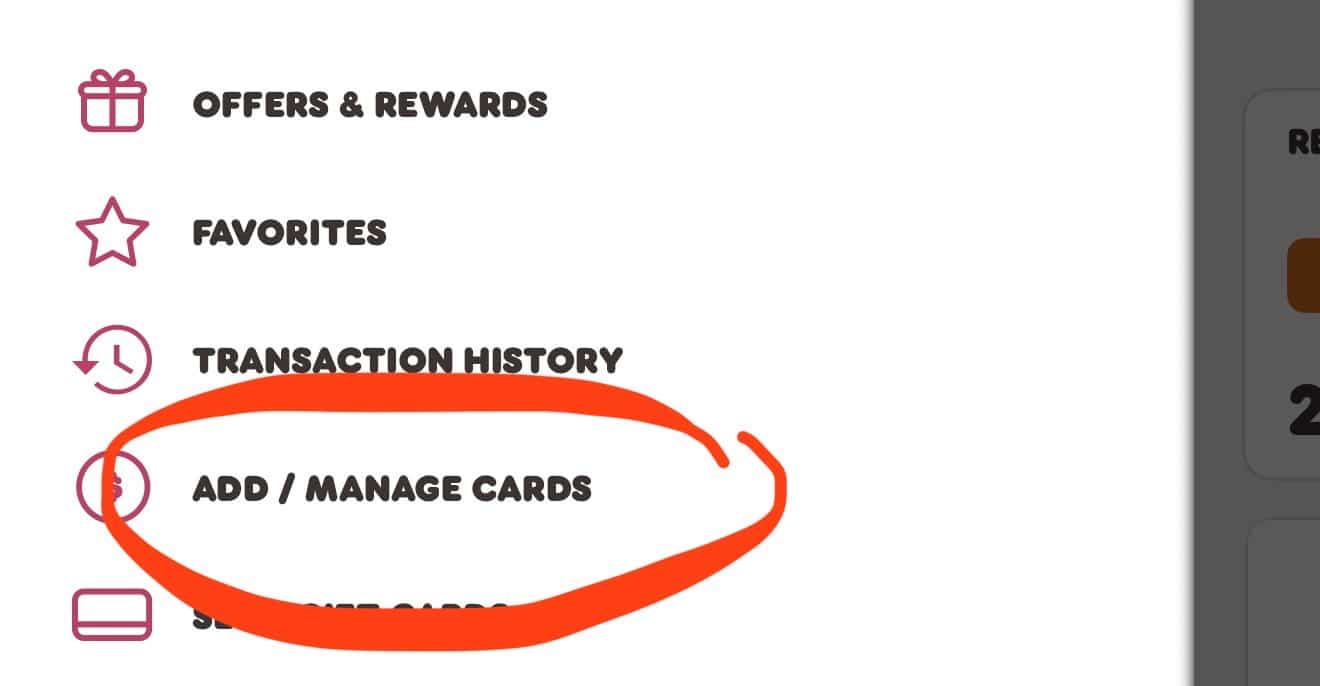
Any Dunkin trip where you spend $10+ in the app, you can check out with Paze and you’ll save $10!
You can also buy a new $10 gift card on the app and checkout with Paze. Reloads don’t work; you have to go to buy a new gift card and then it gives an option to merge with your balance. It is also now time limited where it seems you can add a max of 1 $10 gift card per 24 hour or 48 hour period. Update August 20: Right now you can actually do 3 reloads per 24 hours.
Follow these steps – click small teal arrows to scroll through to the right
[/fusion_text]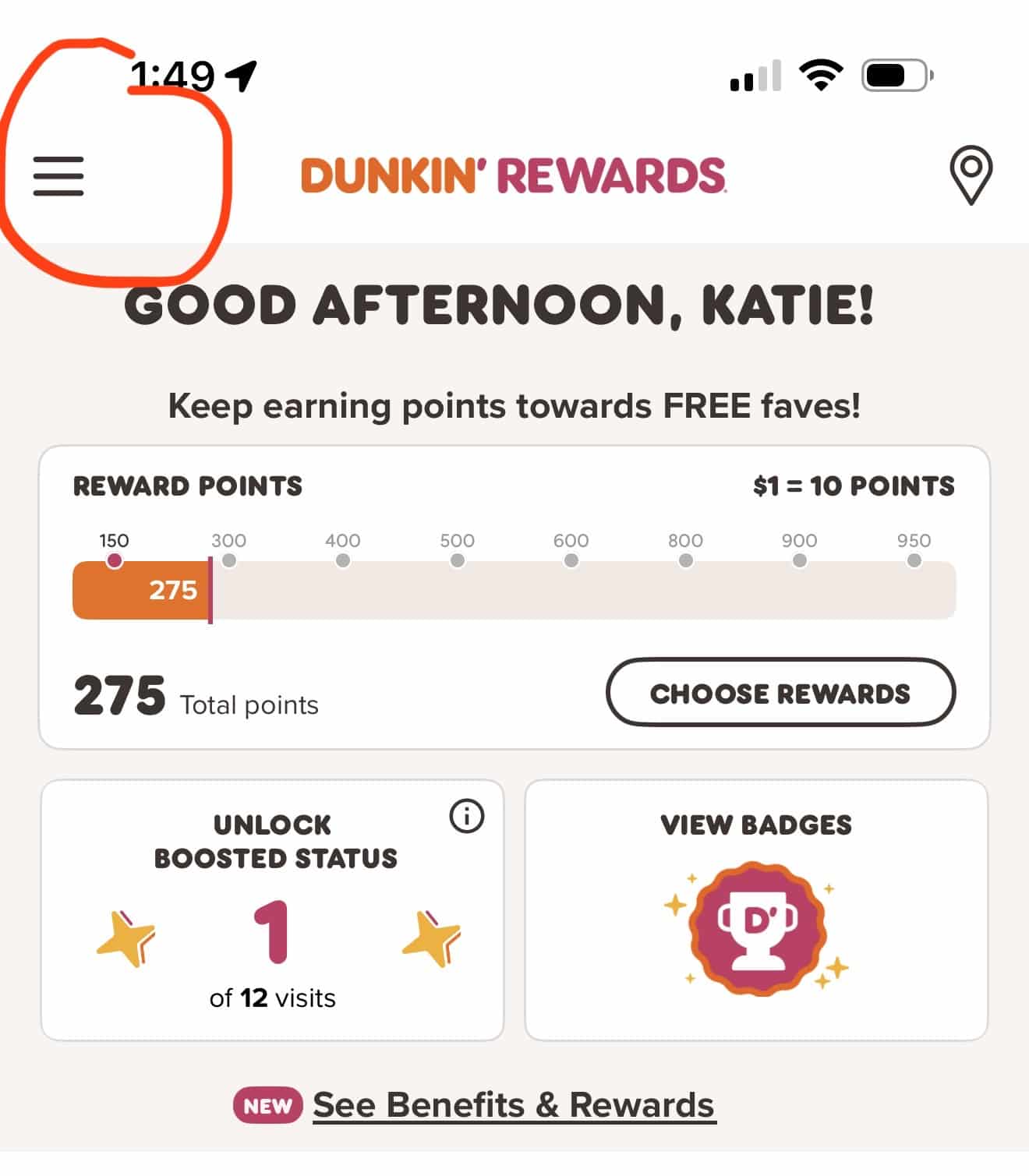
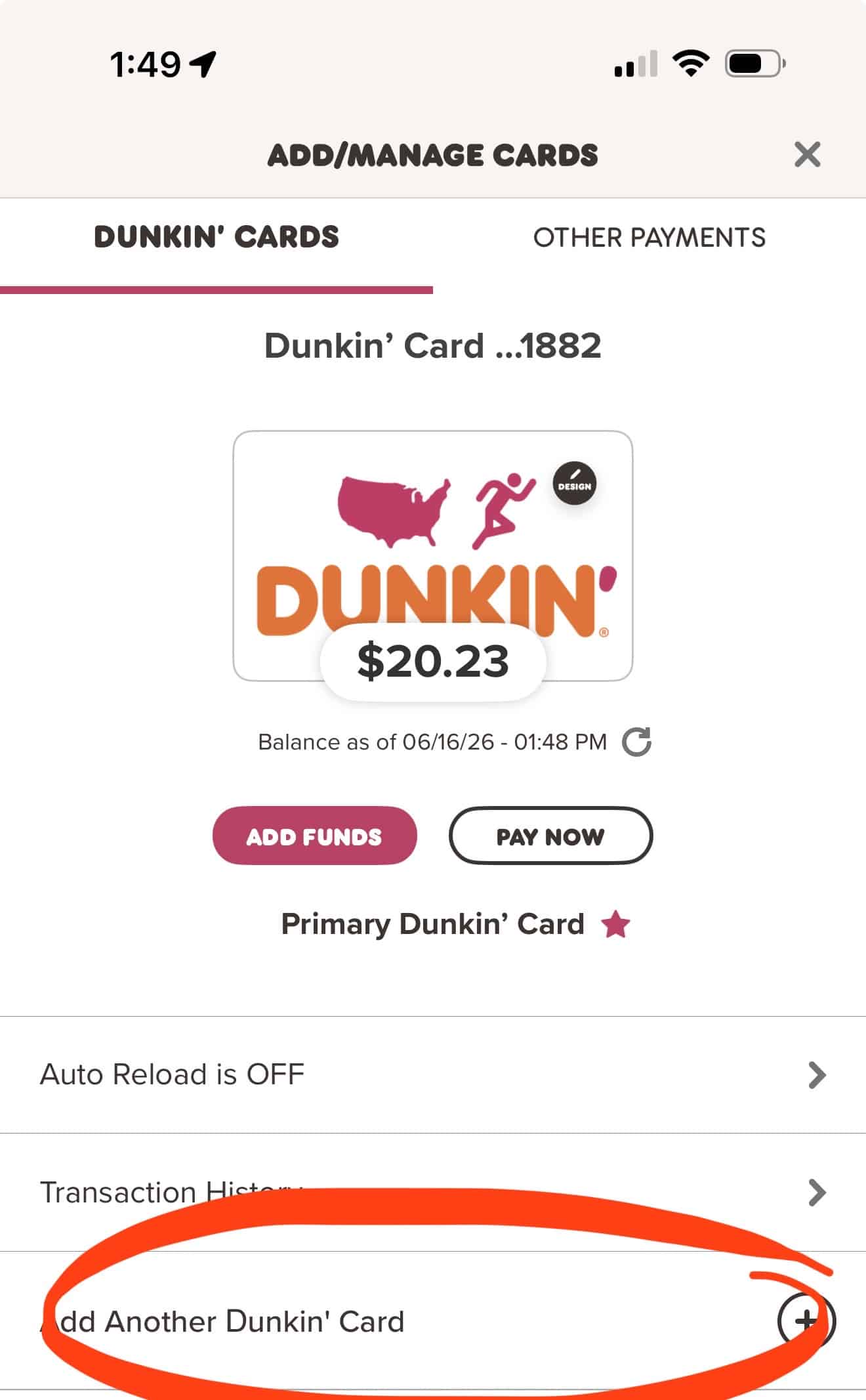
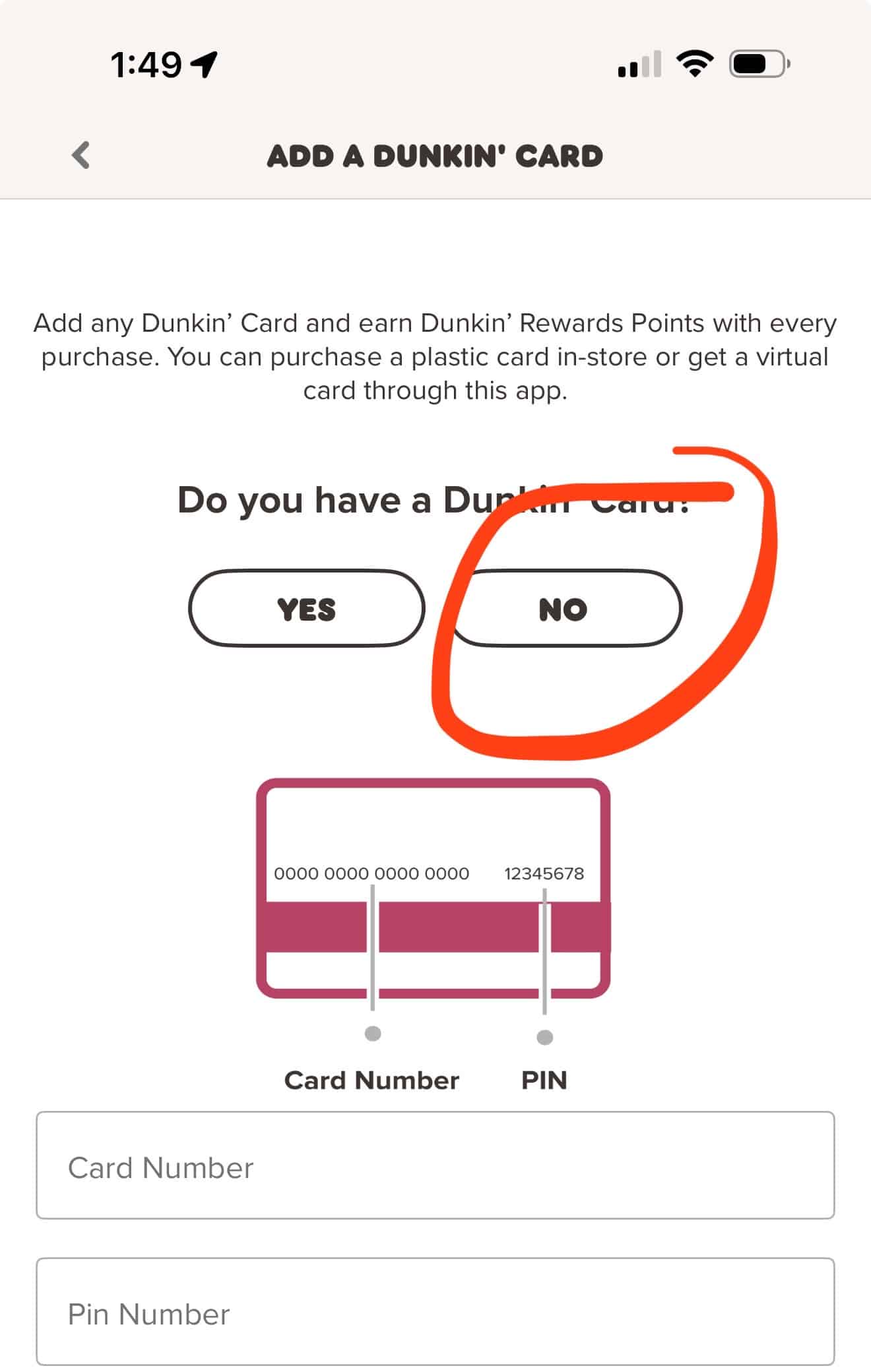
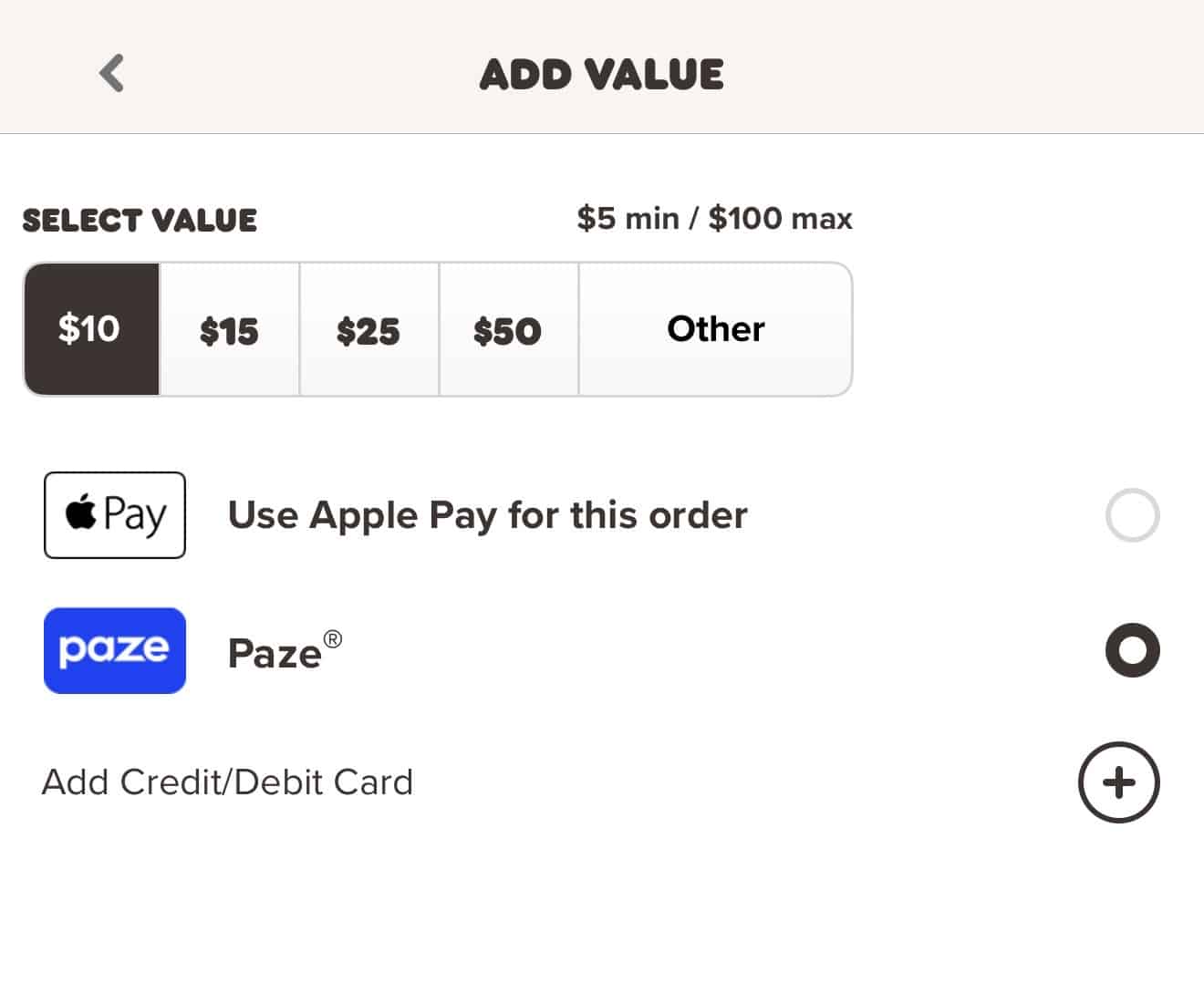
Wendy’s, Whataburger, Domino’s, Little Ceaser’s
Anytime you check out via the app (with Paze) on an order of $10+, you can get $10 off (max of 10 per card). Keep your orders close to $10 to maximize this. If you want more, just do multiple app orders.
Local Restaurants
Some local restaurants that use Clover to process payments can accept Paze. See a list here.
Fanatics
Update: Gift cards no longer seem to work at all
Data points on this are mixed for gift cards. Many digital gift card orders are being cancelled. Physical gift cards seem to work fine. Note that when you eventually use them you can use a max of 10 gift cards per order, so $100 off. You could pay for the rest with Paze again to get another $10 off. So the max you could get off would be $110.
NewEgg
NewEgg doesn’t let you buy 3rd party gift cards with Paze anymore or NewEgg gift cards either (updated June 16).
NewEgg does sell a variety of items including electronics, 3D printer filament, craft supplies, and more.
Note that as of July 1, 2026 — You can no longer earn 10x with Chase cards at NewEgg at all.
Sephora
Update August 29 – Sephora is no longer a Paze merchant
No gift card option but if you buy 1 item at a time, it’s $10 off each thing you buy. Would be best for in store pick up or if you join Beauty Insiders (Free to join) you get free shipping!
If you make a lot of purchases back to back with different cards, they often do combine shipping into the same box.
Your Sephora email MUST match your Paze email.
There have been reports of issues when people make multiple purchases at Sephora using Paze in a short period of time. After 1-2 orders, the purchases don’t code as Paze anymore, even if you check out with Paze. Sephora receipts should show Paze as a checkout method so you should be able to find it and fight the bank on it. Paze has said this is a known issue and says they will fix it but it might take some messages to the bank after the dust settles.
GNC
No gift card option but if you buy one thing, it is $10 off each thing you buy. Would be best for in store pick up.
Donate to St. Jude’s via Domino’s
You can use this promo to donate money to St. Jude’s at no cost to you! Domino’s has an option to donate to St. Jude’s. You can add the donation to your cart even without ordering other items. If you add a $10 donation to your cart and check out through Paze, you can effectively donate $10 and get a $10 credit to cover the purchase.
Table of Contents
Related Posts



Responses are not provided or commissioned by the bank advertiser. Responses have not been reviewed, approved or otherwise endorsed by the bank advertiser. It is not the bank advertiser’s responsibility to ensure all posts and/or questions are answered.

Paze showing up as option on home page or card page. But when I click manage digital wallets, it’s not there. I tried updating phone numbers. Befoe I tried from Chase, tried on NewEgg, it showed other cards, not Chase. Ack. Advice?
I bought 1 $10 Dunkin Card with your method and it worked. I have been blocked from getting anymore using the same method.
I am having the same issue.
People seem to say that if you wait a few days it might reset your ability to get more!
Can I purchase at either Sephora or DD with different cards within the same day and still get a credit for each card or do I need to stagger the cards each day?
you could do same day!
Any luck with B of A linking? My account doesn’t seem to be pulling in – credit or debit
I can’t get mine either!
What if I don’t see the spend $10 get $10 back 10 times under my card?
I’d say that’s a bit risky!
I’m having issues with Paze showing up when I try to check out at Sephora. My emails are the same for both but I still cannot get it to show up. I’ve tried all my cards that are linked to Paze and still do not see an option to pay via Paze.
unfortunately Sephora was pulled out of paze
My United Explorer card does not list Paze 10x as a benefit, sadly.
I have a qualifying card
(Chase Sapphire Preferred) but I don’t see the Paze offer for 10x points in my “benefits”?